Microsoft has officially released the new Viva Engage (formerly Yammer) — a completely modern interface that delivers an engaging and easy-to-use experience for the mobile and web.
Building over 10 years of customer success and feedback, Microsoft rebuilt the platform with dozens of new capabilities that power leadership engagement, company-wide communication, communities, and knowledge sharing in Microsoft 365. Microsoft also announced new integrations specific to Microsoft Teams, Outlook, and SharePoint, along with enhanced security and compliance.
A Smarter Feed
A new, personalized discovery feed powered by AI connects you with conversations from across the organization and prioritizes the conversations that are most relevant to you.
Microsoft overhauled conversation styling and added colorful framing and iconography that distinguishes questions and best answers. New treatments for praise and polls also show beautifully in the feed whether you’re on a mobile app or in the browser. The Feed is powered by machine learning and designed to help you keep a finger on the pulse of the company and discover trending conversations.
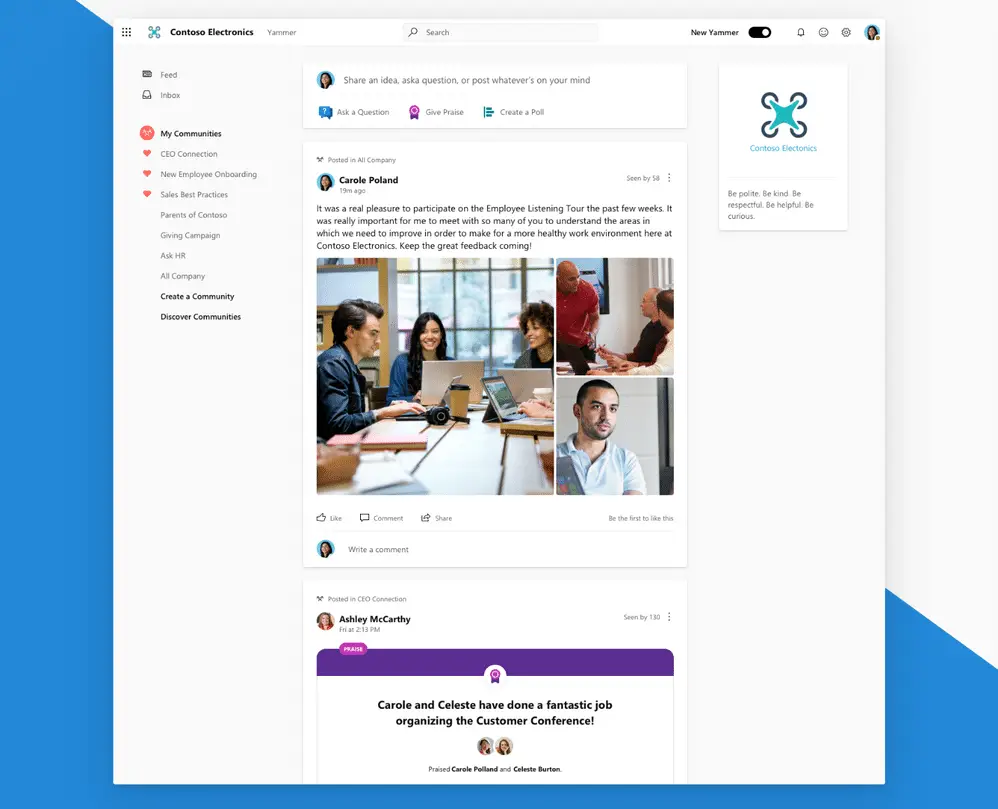
All Company Improvements
Customize the All Company feed to bring your organization’s unique branding and culture into the default Viva Engage community.

New Community Experiences
Community is the driving force of Viva Engage, and to better reflect the purpose and role of the platform within Microsoft 365, Microsoft has renamed groups to communities and added many new improvements and experiences, including the ability to favorite a community — pinning it to the navigation. A new filter helps you sort answered and unanswered questions to help you find what you’re looking for and ensure questions get a response.

Add a Cover Photo
New community branding gives you the power to style your community your way. Upload a cover photo to show off your community’s identity, share a campaign, or publicize a community event. The possibilities are endless.

A Powerful Publisher
Microsoft has expanded the use of announcements so you can have the same reach with polls, questions, or praise. Bring extra visibility to your message by setting them as announcements — sending a notification to all community members. A new text editor on mobile makes it easier to preview how your message will appear once it’s posted, helping you share with confidence.

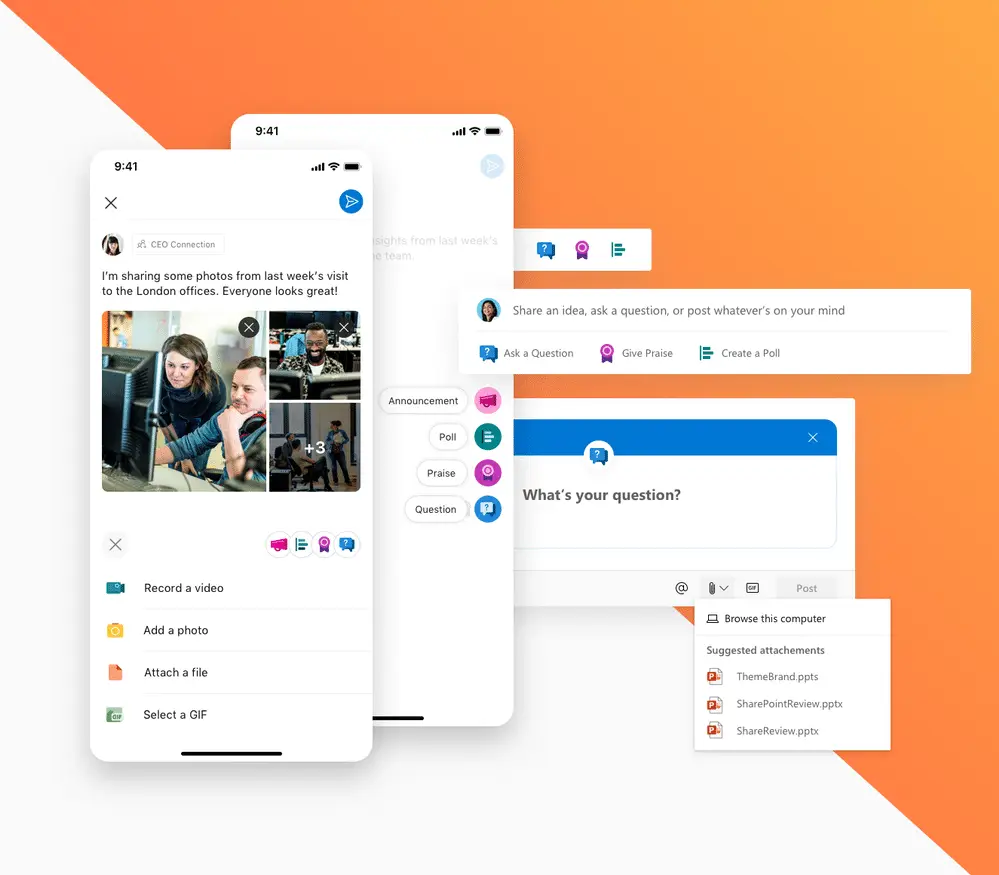
Pin Conversations
Community managers (admins) can now pin a conversation to the top of the feed. Help orient users by pinning a welcome message, sharing best practices, or extend the longevity of announcements by pinning polls, praise, and questions.
Manage Conversations
Along with pinning, community managers now have the ability to close conversations. Use this to share messages as read-only, steer feedback to an alternative location, or prevent further responses to discussions.
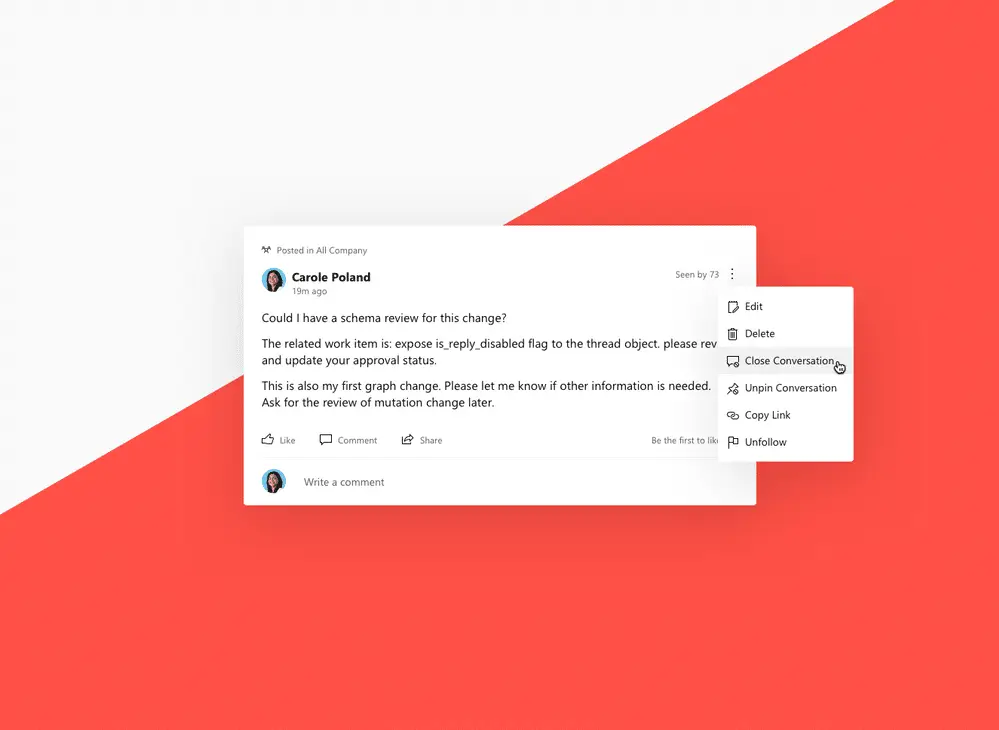
New Event Experiences
Don’t miss the moments that bring the community together. Recently added is a new event discovery page for each community so members can stay informed about what’s happening, post questions, and watch events.


Suite-Wide Coherence
Lastly, Microsoft also introduced changes that help bring consistency across Viva Engage and Microsoft 365, including a unified user profile and people card pulled from Microsoft 365 and the ability to set a customized navigation header. The search bar and notification bell have also been moved into the navigation bar to reflect a universal experience.
As part of the Microsoft Viva employee experience platform, Viva Engage integrates seamlessly with Microsoft’s Modern Workplace solutions — giving teams a single, cohesive environment for communication, collaboration, and community building across web, mobile, and Microsoft Teams.

Make the Most of Microsoft Viva Engage with WheelHouse IT
Viva Engage is a powerful addition to any organization’s Microsoft 365 environment — but getting the most out of it means having the right setup, integrations, and user adoption strategy in place. As a certified Microsoft partner, WheelHouse IT helps businesses across South Florida, New York, and Los Angeles deploy and manage the full Microsoft 365 stack, including Viva Engage, Teams, SharePoint, and more.
If you’re ready to build a more connected, communicative workplace, we’re here to help. Reach out to the WheelHouse IT team today to learn how we can put Microsoft’s modern collaboration tools to work for your business.