Understanding the power of the collaboration tools at your disposal is key to engaging your team no matter where you are. At WheelHouse IT we love to write on the walls in our office — just about every office wall has a whiteboard painted on it. So with our affection for visuals, how do we turn that into a digital experience?
Microsoft has integrated Microsoft Whiteboard (which is free to you) into Microsoft Teams (which you probably already have).
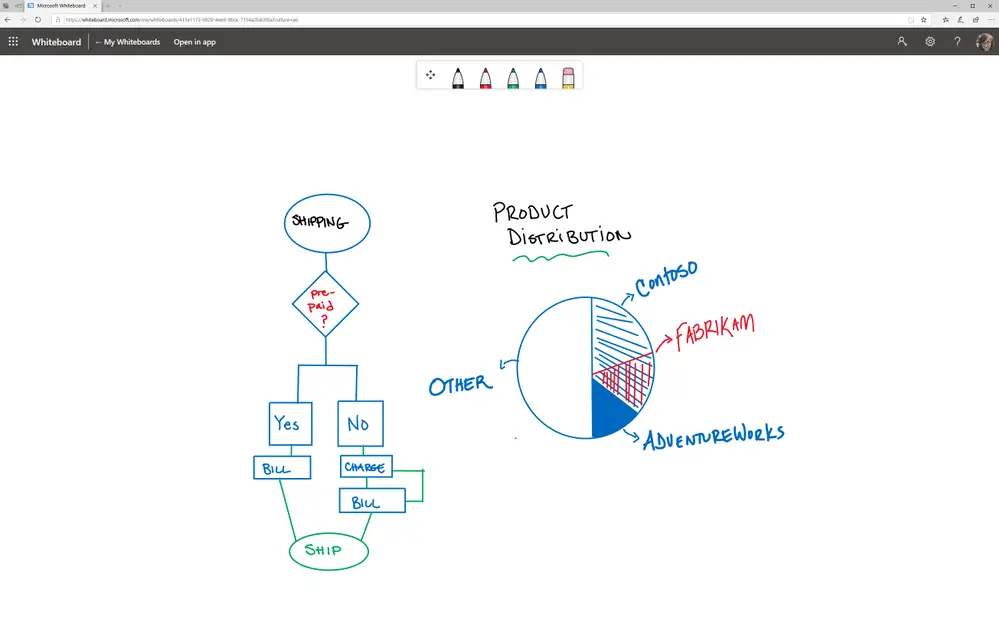
What is Microsoft Whiteboard?
Easily collaborate with others or access your boards from any device
You can access Microsoft Whiteboard directly online at whiteboard.cloud.microsoft or via the Teams app. You can access Whiteboard on all of your organization’s devices including PCs, tablets, and phones running Windows, macOS, iOS, and Android. Whiteboard for the web provides the ability to collaborate in real-time with others as well as access existing boards.
Run effective Teams meetings with Whiteboard
Right inside of Teams you can add Whiteboard to any Teams meeting by clicking on Whiteboard under the Share option. The whiteboard will be shared with all meeting participants and available for them to start collaborating without leaving the Teams meeting. A Whiteboard tab will be generated to make it easy to access the content after the meeting has ended.

Leveraging Ink Grab
Say you already have something scribbled on a physical whiteboard — Ink Grab enables you to take a photo of that whiteboard and convert the notes into digital ink on the Whiteboard app. You won’t have to recreate your board from scratch and all the information is captured. Note that Ink Grab availability can vary by platform and app version; if you don’t see it, make sure your Whiteboard app is fully updated.
Ink Beautification
Bad handwriting? There is nothing to worry about here! Ink Beautification increases the readability of quickly jotted notes in the Whiteboard app, which analyzes handwriting and automatically replaces it with more legible strokes.

Wrap all of these features together to bring a well-crafted collaboration tool set for you and your team to use for more meaningful meetings!
If you have a touchscreen display in your conference room, learn how to turn that display into a collaboration tool within Microsoft Teams while leveraging the Whiteboard app.
Bring Your Meetings to Life With the Right IT Partner
Microsoft Whiteboard is just one of the many collaboration tools included in Microsoft 365 that can transform how your team works — whether they’re in the office or remote. At WheelHouse IT, we help businesses across South Florida and New York get the most from their Microsoft environment. Reach out to our team to get started.