
In these challenging economic times, many businesses seek to optimize and consolidate for cost savings and efficiencies, while simultaneously accelerating growth. Hybrid workforces continue to pose unique challenges to keep people connected, and organizations everywhere are asking, “How can we do more with less?” Virtual events, such as webinars, have become an increasingly popular option for businesses of all sizes. Still, with so many different platforms available, it can be tough to know where to start.
At WheelHouse IT, we’re excited to share how Microsoft Teams is evolving the webinar experience for existing webinars within Office 365 and Microsoft 365. The new advanced webinars within Teams Premium are generally available now. Microsoft Teams delivers engaging and richer digital-first event experiences that can help businesses generate leads and drive results.
Seamless setup and preparation before your event ensures every webinar is unique. Microsoft has revamped the setup and management of registration to offer more options to customize registration details and event settings. You can now designate co-organizers and add the relevant event details. Additionally, enhance presenter bios to showcase their expertise and social credentials and manage registration capacity limits for up to 1,000 attendees. You can also specify custom questions to gather pertinent information about prospective attendees, as well as enable consent for event terms and conditions upon registration.
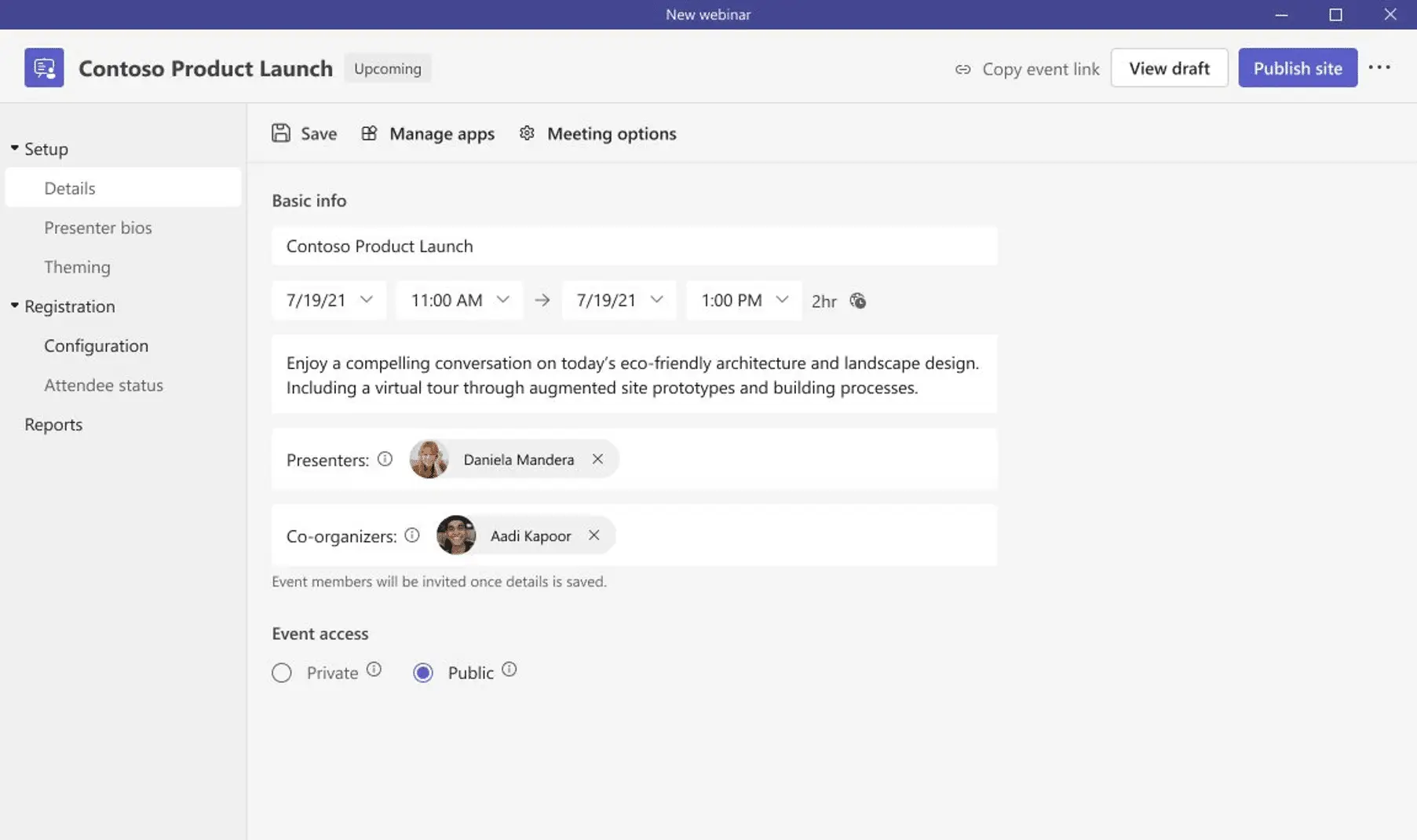
To build excitement and drive attendance as the webinar draws near, you can leverage timely, automated reminder emails to ensure the event remains top of mind. On the day of the webinar, presenters can join one another and the host in the virtual green room, ensuring seamless preparation. With the virtual green room, presenters have a separate, dedicated space from attendees to connect and chat in real-time, stage content, do a quick briefing, and test run without disturbing attendees.
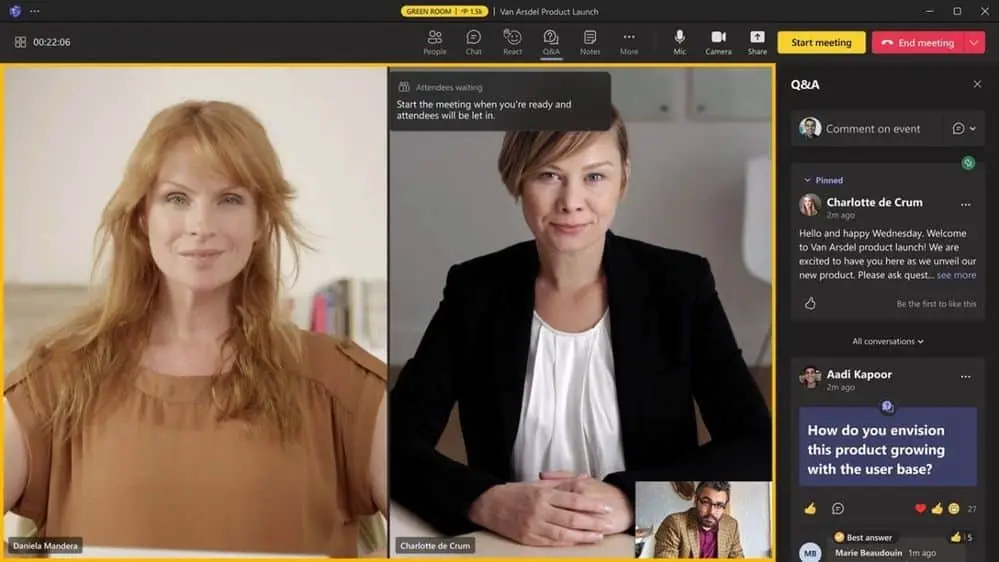
Maintain Focus and Drive Engagement During Your Event
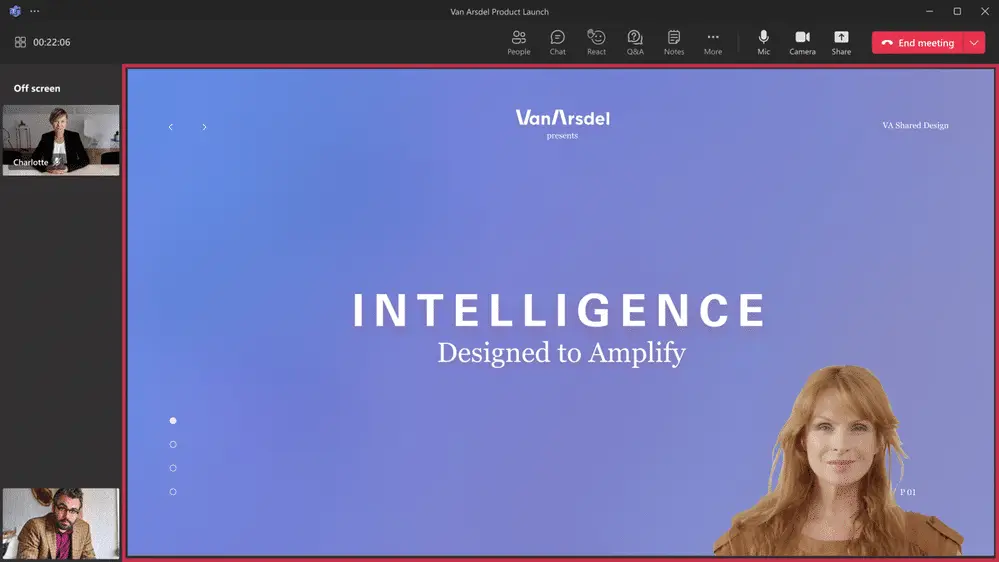
During the webinar, you can easily manage the production of your webinar to showcase a more dynamic, curated presentation by managing what attendees see. You can keep your attendees focused and more deeply engaged by managing their view so they only see shared content and participants brought on-screen. This way, they are no longer distracted by the multiple profiles of other attendees or an accidental attendee video popping up. For a full breakdown of what’s possible, Microsoft’s webinar planning guide on Microsoft Learn covers admin controls and organizer settings in detail.
Improve Live Event Experiences with Microsoft eCDN in Teams Premium
To improve live event experiences within your organization, the Microsoft Enterprise Content Delivery Network (eCDN) is now included in Teams Premium. With Microsoft eCDN, organizations can seamlessly and securely live stream global meetings, all-hands gatherings, and town halls, as well as distribute company-wide trainings. Microsoft eCDN helps reduce the load on the corporate network, helps prevent connectivity failure and poor video quality, and requires no additional installation on user endpoints.
Enhancing Existing Webinar Experiences
Microsoft continuously improves the existing webinar experience in Office 365 and Microsoft 365 plans that users have relied on daily to deliver events worldwide. Microsoft has revamped the setup and management of registration with a new structure and expanded options to customize registration details and event settings. To see the full feature comparison across meetings, webinars, and town halls, visit Microsoft’s official feature comparison on Microsoft Learn.
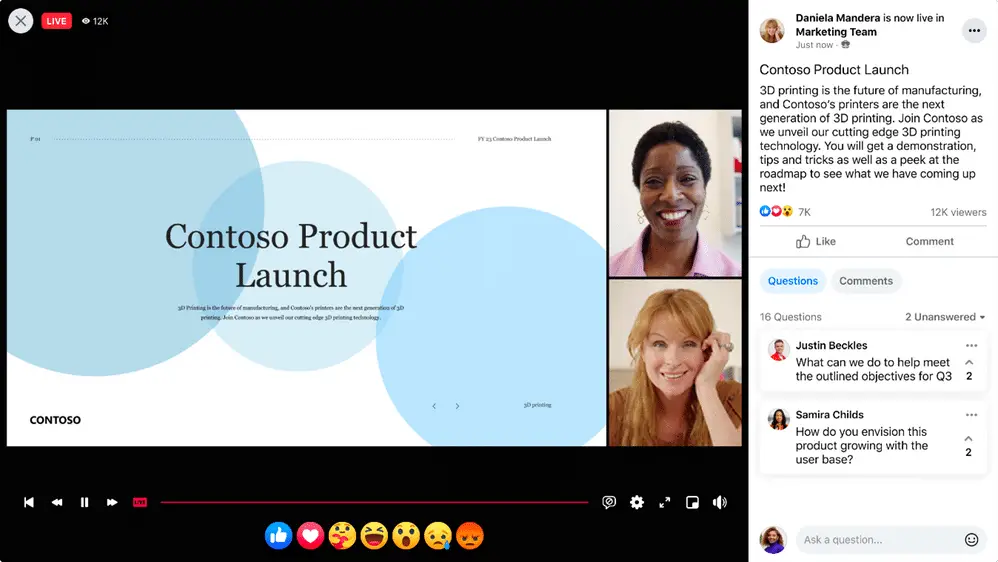
Live Stream Teams Meetings and Webinars to Meta Workplace Live
As webinars are intended to reach a broader audience, typically outside of your organization, Microsoft is making it easier to connect with your extended network right within Meta Workplace Live. Organizers can now live stream a Teams meeting or webinar to Meta Workplace Live, increasing your reach and enabling attendees to engage wherever works best. Combined with the modern workplace capabilities in the Microsoft 365 ecosystem, this kind of extended reach helps businesses connect with audiences far beyond the traditional conference room.
Ready to Get More Out of Microsoft Teams Webinars?
At WheelHouse IT, we’re excited to extend our knowledge and bring these new webinar experiences to our customers, partners, and community. Whether you’re a seasoned Teams user or recently new to the application, there’s never been a better time to explore what Microsoft Teams can do for your virtual events strategy.
As a certified Microsoft partner, WheelHouse IT helps businesses across South Florida and New York configure and get the most out of their Microsoft 365 environments. From deploying Teams for your hybrid workforce to optimizing your licensing for features like Teams Premium, our team is here to help you work smarter. If you have questions about how these tools fit into your current setup, our team is ready to help. Contact us today at wheelhouseit.com/contact or give us a call: FL: (954) 474-2204 | NY: (516) 536-5006.