
Microsoft has introduced a powerful accessibility feature in Microsoft Teams meetings called Closed Captions in PowerPoint Live. This feature aims to enhance accessibility for those who are Deaf or hard of hearing, have difficulty processing auditory information, have a language barrier, or are simply joining the meeting from a loud environment. Closed Captions will help these individuals better understand the auditory content shared in Teams meetings.
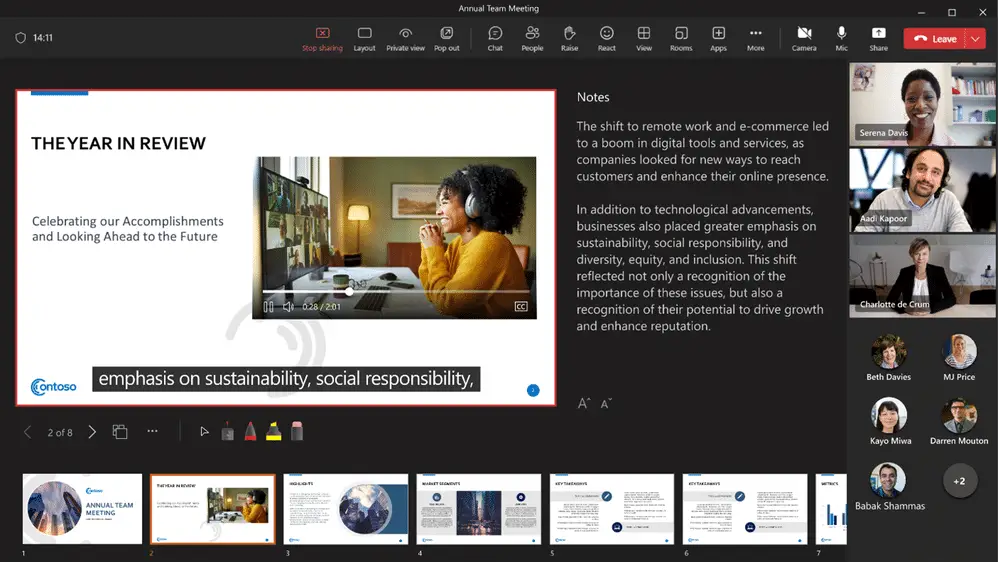
With Closed Captions, meeting attendees now have the option to turn on closed captions for any video that includes a closed captions file. PowerPoint users looking to create accessible presentations can easily add closed captions to any embedded PowerPoint video directly from within PowerPoint for Windows and macOS.
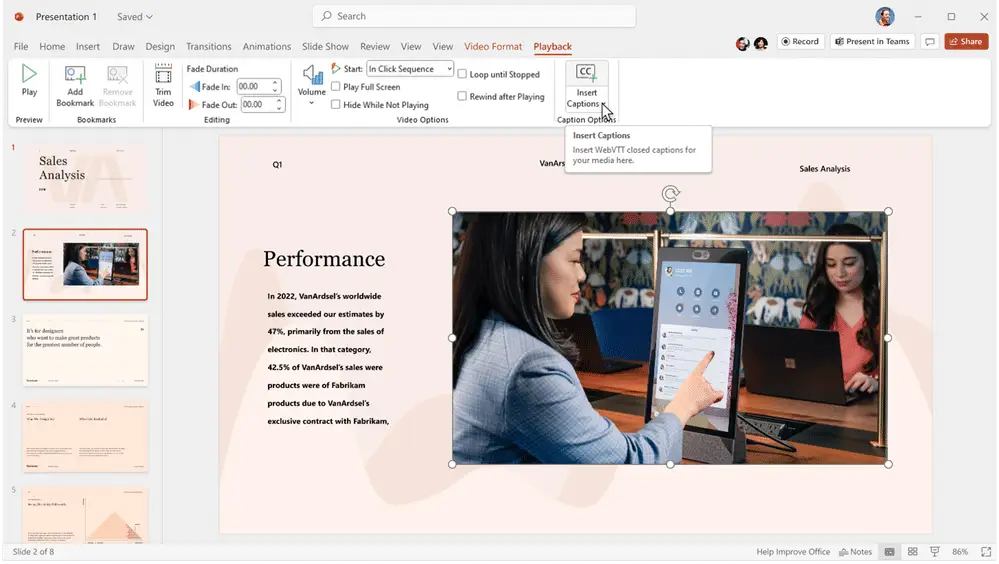
Here’s how to add closed captions:
- Select the video and select Insert Captions from the Playback Ribbon
- In the Insert Captions dialog box, select the WebVTT file or files that should be included
- Select Insert
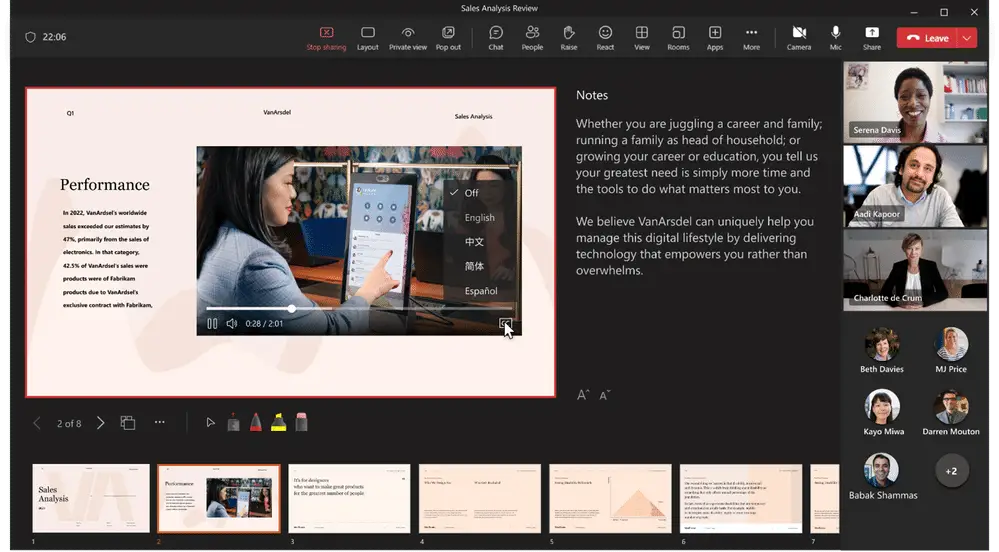
When the PowerPoint presentation is shared using PowerPoint Live in a Microsoft Teams meeting, the closed captions option will be available for viewers to turn on. To turn on closed captions, attendees can click the closed captions button on the video player in PowerPoint Live. Then, select their preferred language from the dropdown menu. Once turned on, the video closed captions will appear at the bottom of the slide for only the individual attendee, empowering each person to choose the setting that works best for them without distracting others who may prefer captions off.
Closed captions make Microsoft 365 PowerPoint Live presentations more accessible and benefit everyone who watches videos, especially those viewing content in their non-native language, people learning to read, and individuals who are Deaf or hard of hearing. Microsoft’s broader accessibility initiative for Teams continues to expand across the platform, making inclusive communication easier for organizations of all sizes. We encourage everyone to learn how to make PowerPoint presentations more accessible with closed captions!
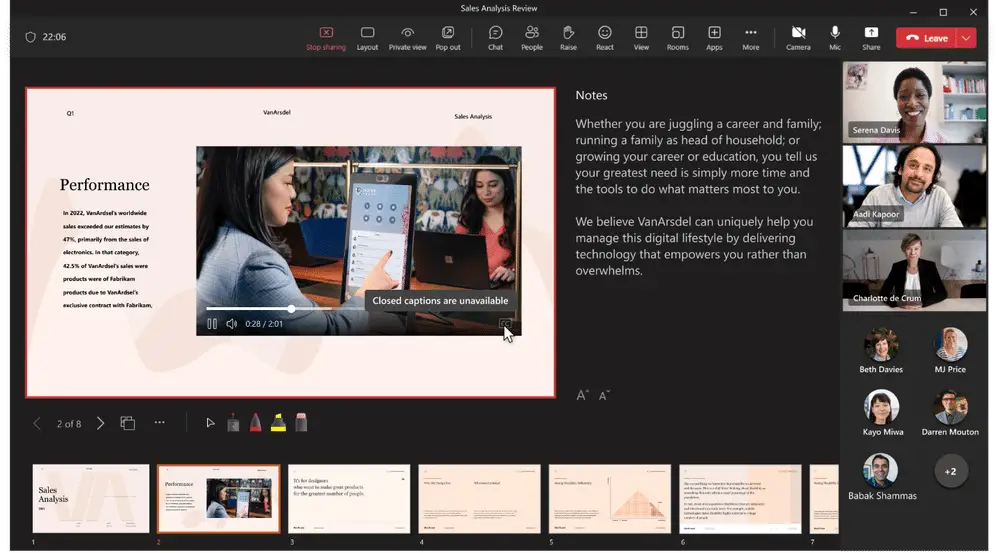
It’s important to note that when no closed captions are available for a video, the closed captions button will be unavailable for participants to select. Microsoft is committed to making its products accessible to everyone and will continue introducing features that promote inclusivity across its product suite.
Make the Most of Microsoft Teams with WheelHouse IT
Features like Closed Captions in PowerPoint Live are just one example of how Microsoft Teams continues to evolve as a hub for inclusive, productive collaboration. But getting the most out of tools like Teams and the broader Microsoft 365 ecosystem requires the right support behind it.
At WheelHouse IT, our team helps businesses across South Florida and New York configure, deploy, and fully leverage their Microsoft environments, from accessibility features to enterprise-grade security. Whether you’re onboarding new tools or optimizing what you already have, we’re here to help your team work smarter. Ready to get more from Microsoft 365? Contact us today to start the conversation.
Ready to modernize your workplace technology?
WheelHouse IT helps businesses across South Florida and New York get the most out of Microsoft Teams and Microsoft 365. Let’s talk about what’s possible for your team.
Schedule a Consultation FL: (954) 474-2204 NY: (516) 536-5006