Microsoft is the only platform with custom capabilities to connect everyone in your organization, from the C-suite to the firstline, in one place to collaborate. The capabilities built in Microsoft Teams are designed for your customer support staff, IT help desk, store associates, line workers and more.
Microsoft has delivered many features that are already available in your tenant today, and several newer features provide new ways of communication and collaboration across your entire organization.
And it’s inspiring to see how industry leaders are driving higher levels of employee engagement and enhancing the customer experience by putting tools like Microsoft Teams into the hands of their Firstline Workforce. Your business can connect everyone in the organization with familiar features like chat and video calls and digitizing firstline processes such as shift management to save time and cost.
Connect everyone in your organization with various options to communicate
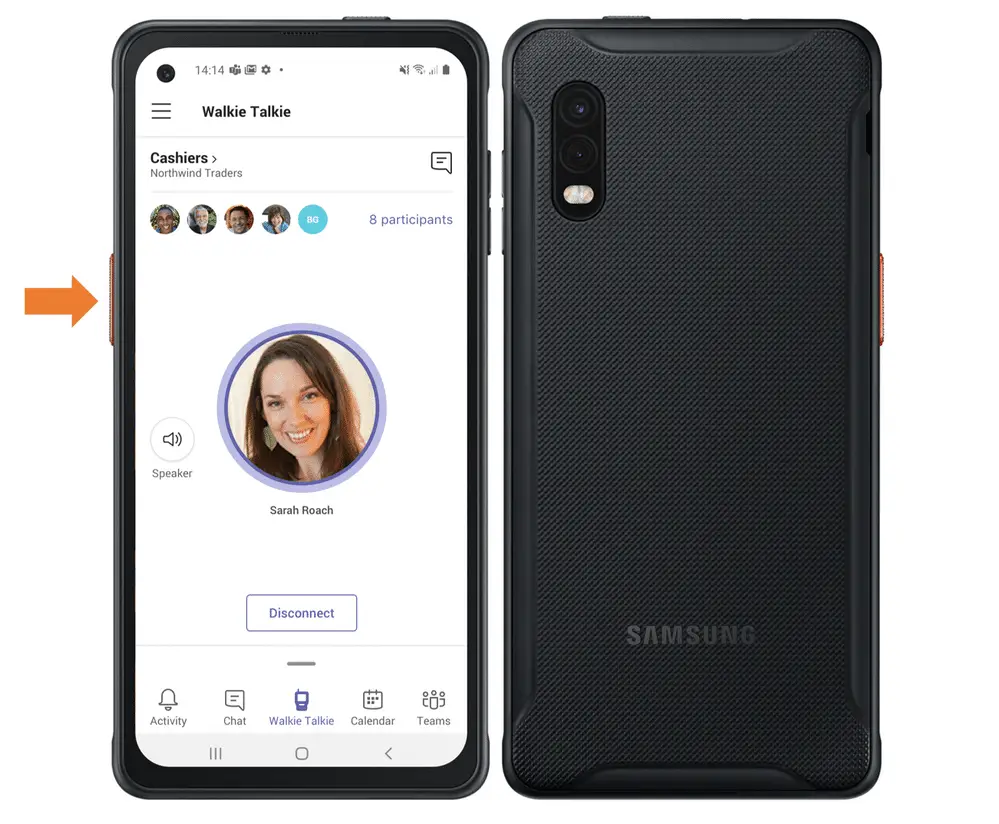
The ability to chat and video call is great inside of Teams to keep your conversations organized by topic (channels). Walkie Talkie is a push-to-talk experience within Teams that enables clear voice communication over the cloud. This feature turns smartphones and tablets into a walkie talkie without additional hardware required.
The walkie talkie lives native in Teams and consolidates devices and apps that firstline workers use daily, reducing the need for capital expenses, provisioning and managing costs for IT. Walkie Talkie already works with the teams and users you’ve already configured and securely eliminates cross-talk or eavesdropping from outsiders.
With Walkie Talkie functioning over Wi-Fi or cellular, it can be used no matter where you need to be. Walkie Talkie works across all operating systems and integrates with devices built for workers on the front lines of any industry. Learn more about Microsoft 365 for frontline workers and how Teams supports your on-the-ground staff.
Streamline task management for your firstline operations
With the Tasks experience in Teams (now part of Microsoft 365), Microsoft delivers several capabilities that support new levels of team collaboration. Tasks targeting, publishing and reporting in Teams allows corporate and regional leadership to send task lists targeted to the relevant locations, such as specific retail stores, and track their progress through automatic real-time reports.
Managers have tools to easily direct activities within their stores, and Firstline Workers have a simple prioritized list available via their personal or company-issued mobile device showing them exactly what to do next.

Roll out Teams to your Firstline Workers with the help of off-shift controls, and identity and access capabilities
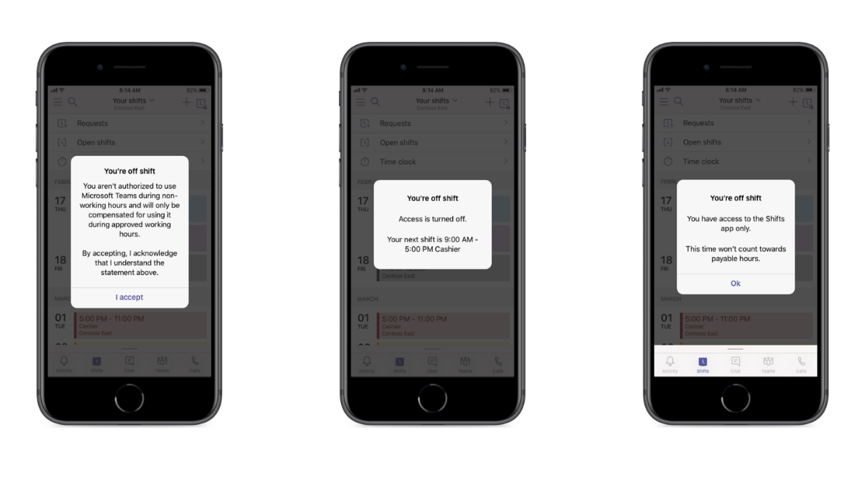
With Off-Shift Access controls, you can limit employee access to Teams on their personal device outside of working hours. This feature ensures employees are not involuntarily working while not on shift and helps employers comply with labor regulations.
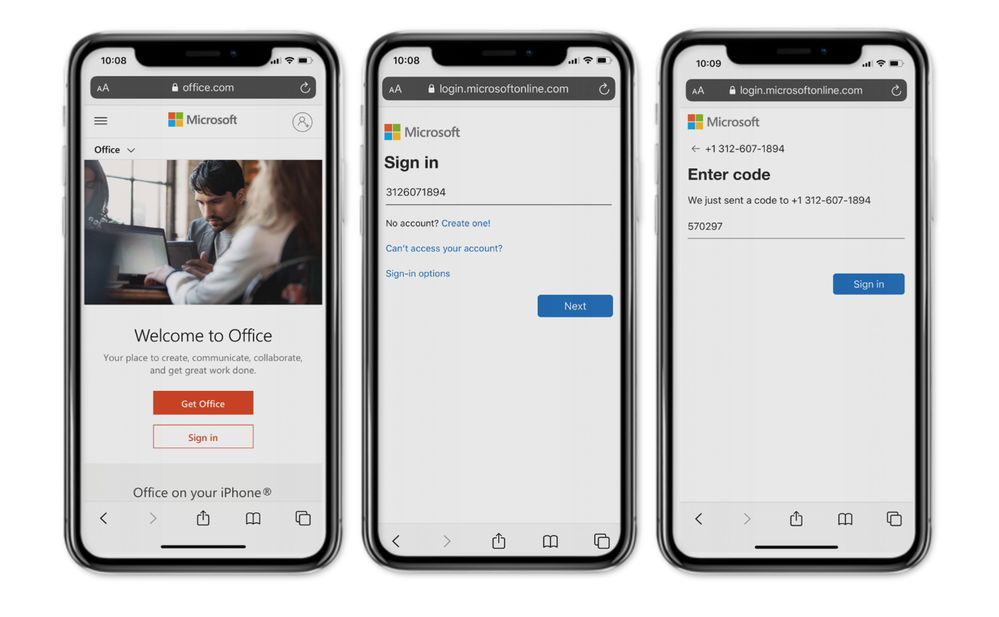
With SMS sign-in, Firstline Workers are able to sign in to their Microsoft Entra ID account using one-time SMS codes, reducing the need to remember usernames and passwords for all their Microsoft 365 and custom applications.
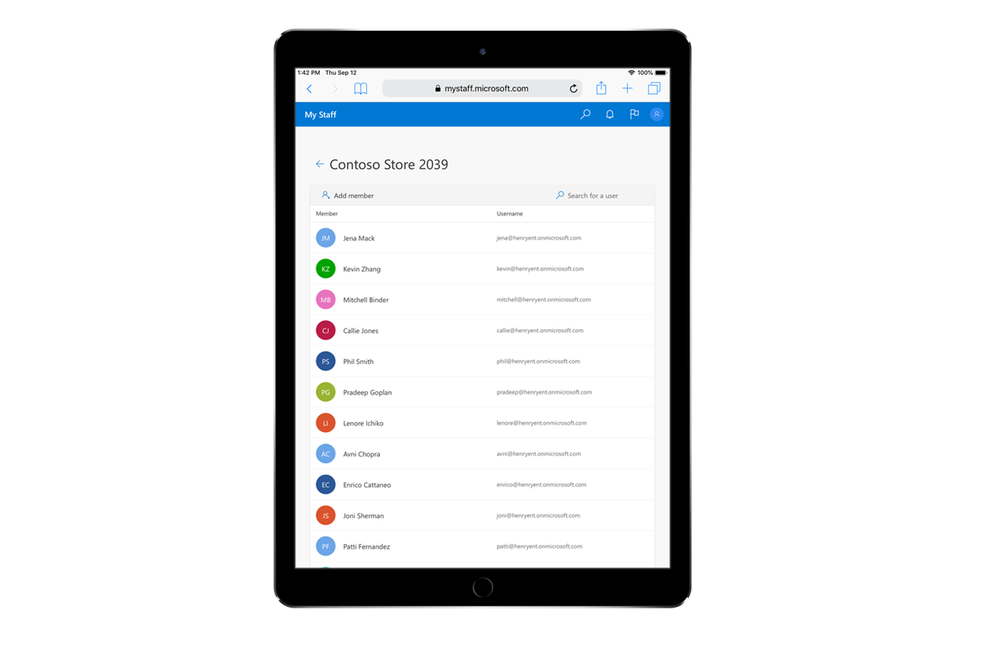
Once enrolled, the user is prompted to enter their phone number, which generates an SMS text with a one-time password. SMS sign-in is a single sign-on (SSO) experience, enabling Firstline Workers to seamlessly access all the apps they are authorized to use. This sign-in method can be enabled for select groups and configured at the user level in the My Staff portal, helping to reduce the burden on IT.
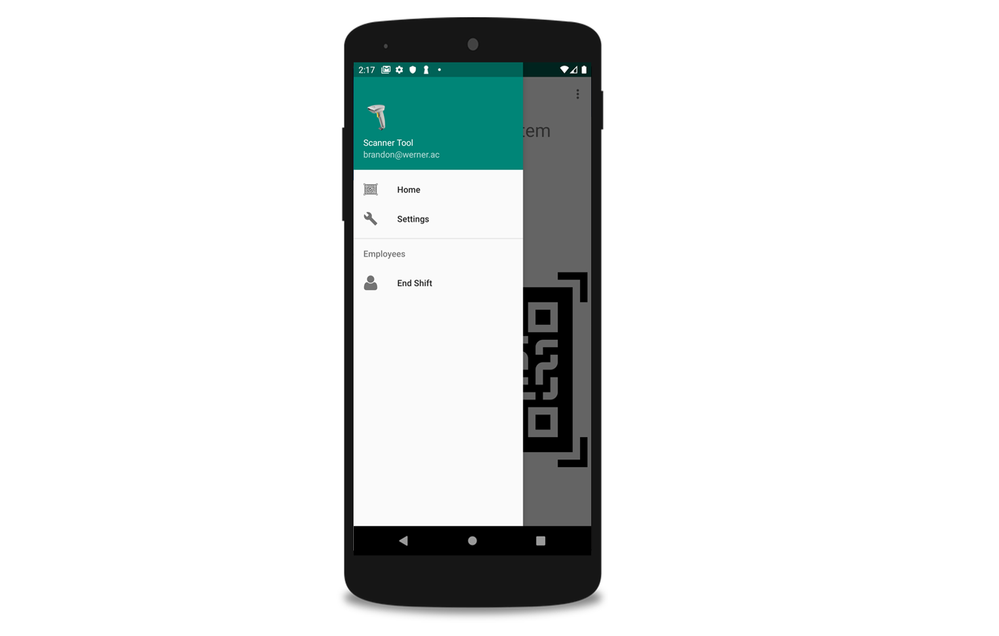
Many Firstline Workers use a single tablet or mobile device that is shared between shifts. This can pose unique security challenges to the organization when different employees who have access to different types of data use the same device over the course of a day.
With shared device sign-out, Firstline Workers can log out of all their Microsoft 365 and custom applications and browser sessions with one click at the end of their shift, preventing their data as well as any access to customer data from being accessible to the next user of that device.
Delegated user management enables firstline managers to approve password resets via a single customizable portal. IT can enable delegated user management for Firstline Managers, giving them access to a single portal, My Staff, to reduce the burden of identity management on IT and keep employees connected to the apps they need on the job.
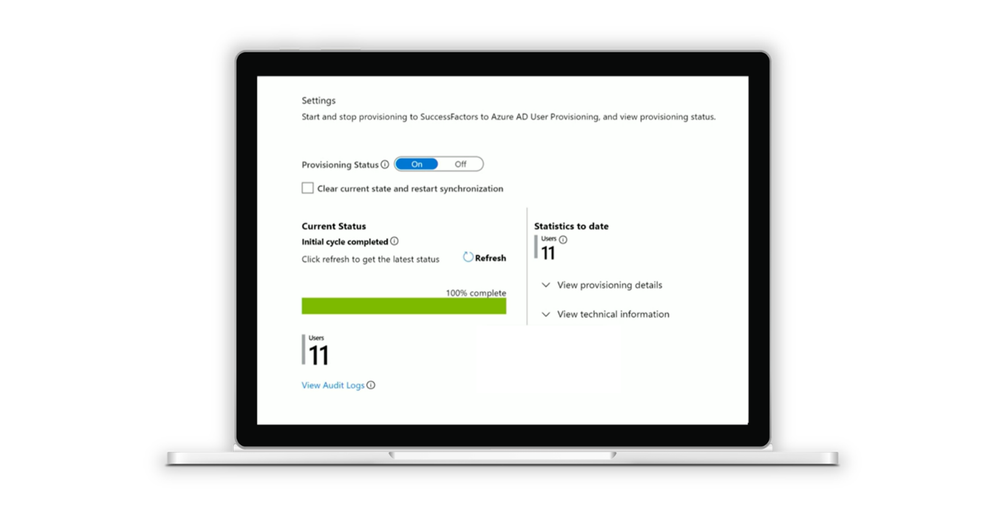
Inbound provisioning from SAP SuccessFactors to Microsoft Entra ID makes it easier than ever to onboard and manage Firstline Workers’ identities at scale, across any application. Learn more about automated user provisioning from SAP SuccessFactors and how integration with human capital management (HCM) systems helps IT scale Firstline Workers’ onboarding and productivity from day one.
Seamlessly manage shift schedules and time & attendance reporting
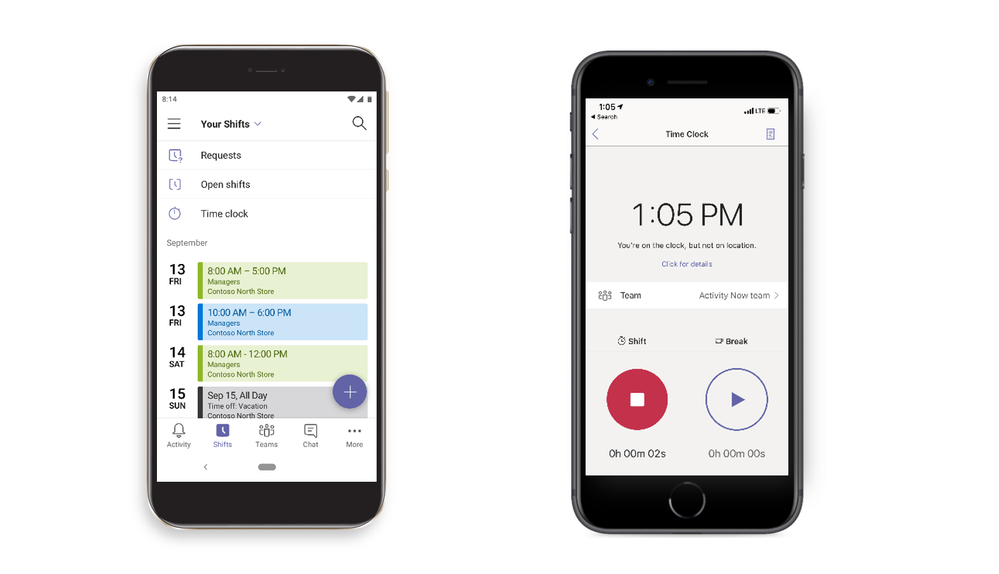
With Shifts, the schedule management tool in Teams, managers can easily plan and create shift schedules, and team members can review schedules and make shift change requests from their mobile devices, all in real time.
With Time Clock in Teams, Firstline Workers can easily clock in and out of shifts and breaks with the hold of a button. Additionally, managers can geofence a location and use GPS data to validate that a team member is at their worksite.
Customize the Teams experience based on different jobs and roles
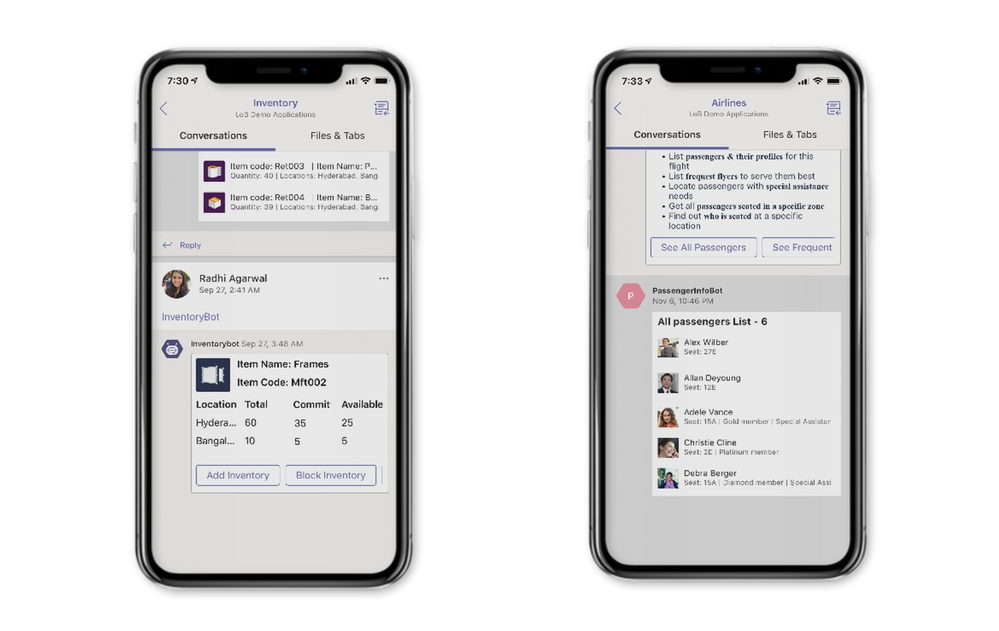
Differences between industries means your employees use different devices, apps and modes of communication to get their jobs done. Microsoft has made it easier to create experiences that cater to a specific role.
Feel free to build line of business apps with Power Apps and integrate them into Teams to empower your Firstline Workforce. Use Power Automate to speed up workflows to increase productivity. Make Teams the one stop shop for your Firstline Workers to get their jobs done. For a deeper look at how modern workplace technology supports employee productivity across your organization, WheelHouse IT can help you build the right solution.
Control what apps are made available to your Firstline Workers
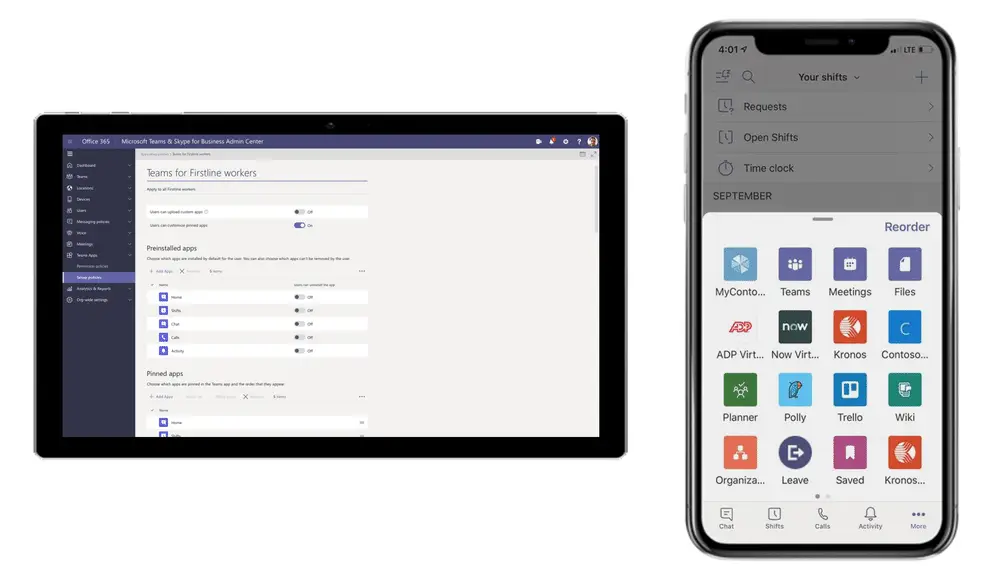
From the Teams Admin Center, you can apply a pre-packaged Teams experience or choose any configuration and apply it to your Firstline Workers.
For example, you could apply a policy that makes your line of business apps, Shifts and Chat experiences available on the navigation bar instead of the standard Teams default modules. With the app set up policies feature, you can simplify the Teams experience to cater to your employees’ needs by role. Microsoft’s Microsoft 365 for Frontline Workers documentation provides detailed guidance on deploying and configuring these policies at scale.
Have a workforce management system? Integrate it with Teams today.
The Graph API for Shifts, the schedule management tool in Teams, has a set of APIs that enable organizations to integrate their existing workforce management systems with Teams. Customers using leading 3rd party workforce management systems, such as Kronos and JDA for scheduling, and time & attendance can integrate directly with Shifts via Shifts Graph APIs and SDK.
The JDA connector for Shifts is open sourced and available on Github. For organizations managing complex shift structures and compliance requirements, connecting your existing WFM system to Microsoft Teams is one of the most impactful ways to reduce manual scheduling overhead. Paired with managed IT services, these integrations can be deployed and maintained reliably across your entire workforce.
Celebrate your employees and build community
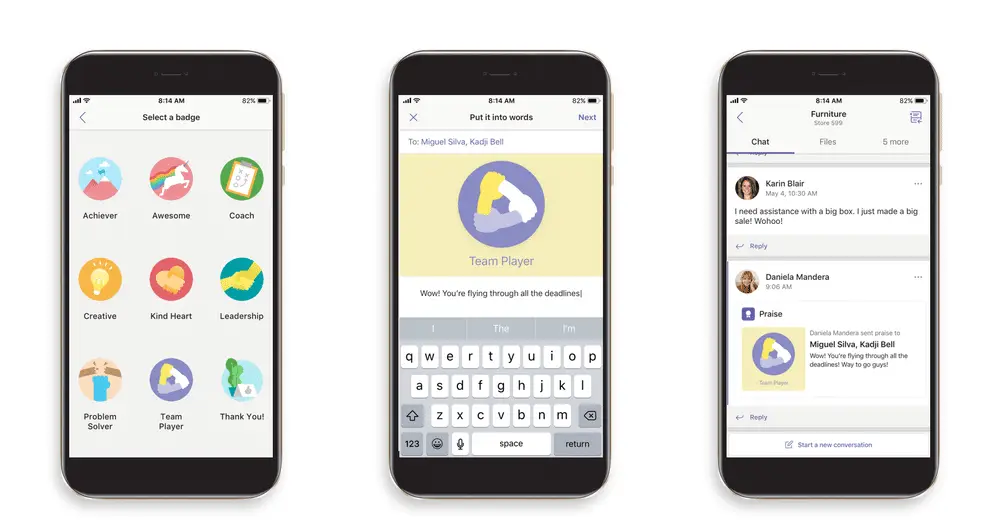
Praise, the employee engagement tool in Teams, gives managers and employees a simple way to recognize each other, right in the Teams app where the whole team can see it. Taking steps to engage and recognize employees can go a long way to improving their satisfaction, enhancing the customer experience and reducing turnover.
Mobile features that provide a consumer app-like experience
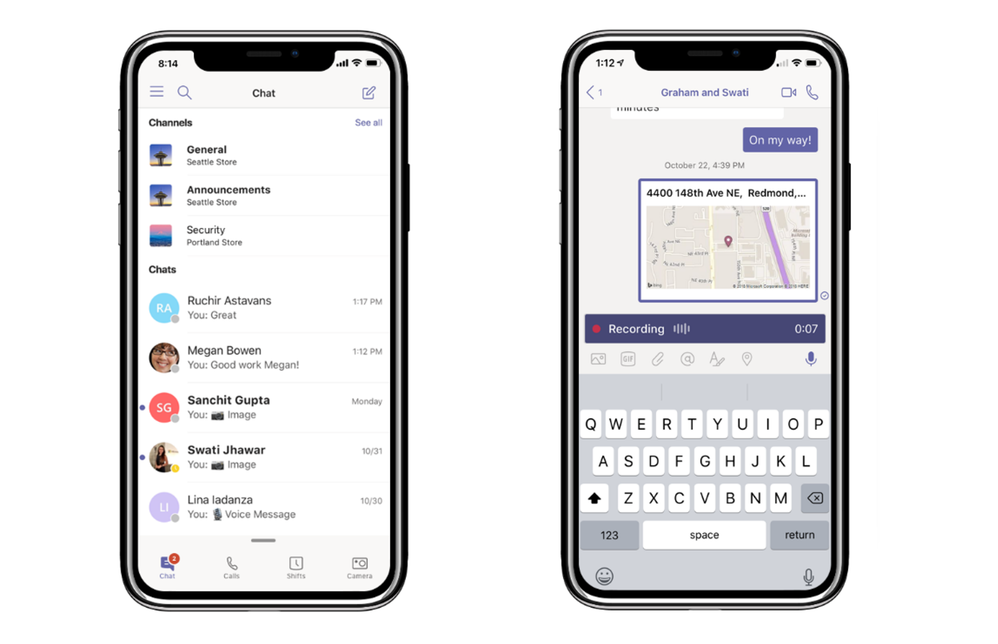
Your Firstline Workers are used to consumer apps to communicate with one another, so Microsoft built the Teams mobile experience with that in mind. Firstline Workers can leverage mobile features such as a unified chat and channel experience, location sharing and the ability to record and share audio messages to listen to on demand.
Secure your company’s data
Teams is built upon Microsoft 365’s enterprise-grade security and compliance. In addition to security features such as data loss prevention and multi-factor authentication, Smart Camera in Teams has been built to protect your company’s data and ensure that as Firstline Workers start and end employment at your organization, your data is not jeopardized.
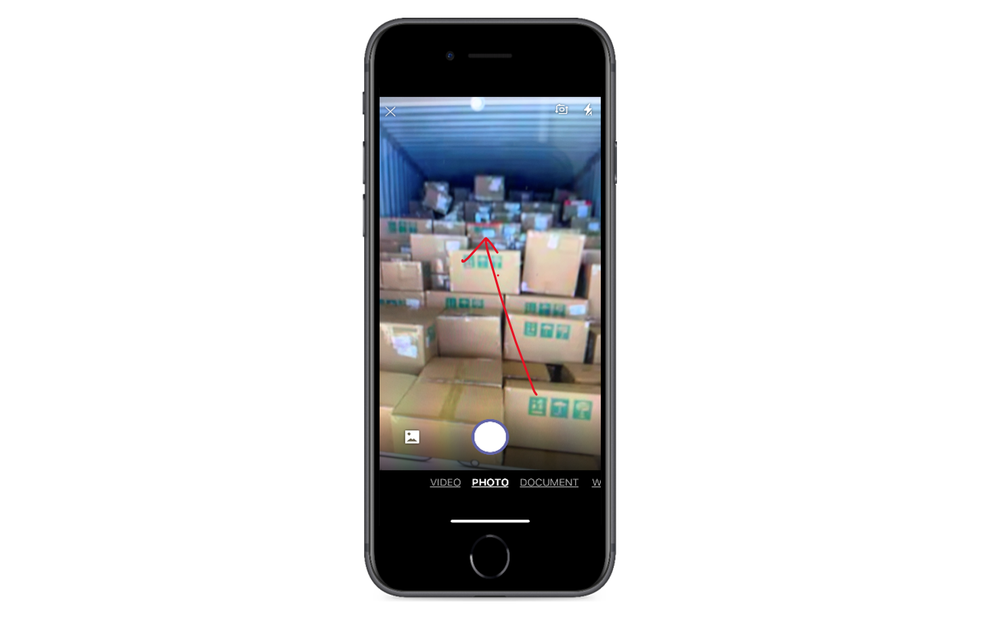
Built with Microsoft’s Office Lens functionality, Smart Camera can interpret different image types and utilizes auto crop for easy consumption. Users can also annotate images as needed. And unlike most consumer chat apps, photos taken with Smart Camera are not stored locally on the device. Ensure that your company’s IP and customer data stays secure with features such as Smart Camera in Teams.
This is just a snippet of the advancements Microsoft has made; they continue to expand Teams to meet the needs of all workers. Organizations looking to unlock the full value of Microsoft solutions for their frontline teams can also benefit from proper licensing guidance, deployment support, and ongoing management.
Bring Your Entire Workforce Together With Microsoft Teams
Microsoft Teams offers a powerful, integrated platform for connecting your entire workforce, from corporate leadership to frontline employees in the field. With features like Walkie Talkie, Shifts, SMS sign-in, shared device sign-out, and enterprise-grade security, Teams gives every worker the tools they need to stay productive, informed, and connected, regardless of their role or location.
For organizations in South Florida, New York, and Los Angeles looking to maximize the value of Microsoft Teams and their broader Microsoft 365 environment, WheelHouse IT is here to help. As a certified Microsoft partner, we help businesses deploy, manage, and optimize Microsoft solutions from end to end. Contact us today to learn more.