Visio is very much a part of Microsoft’s strategy to streamline productivity and collaboration. This has meant bringing various Microsoft solutions into Visio over the years. That effort continues today with Microsoft Teams. You can now view, edit, and collaborate on your Visio diagrams from inside Teams.
Visio for the web is the simple way to create and share diagrams in your favorite browser, while Teams is your hub for teamwork in Microsoft 365. Together, Visio and Teams can help you coordinate on diagrams more efficiently by keeping all Visio files and colleague feedback in one place.
Keep all team assets, including diagrams, together
All Team sites come with a dedicated file library for storing all your workgroup’s content. You can now upload Visio files to this library from your desktop or pull them directly from a SharePoint or OneDrive site. This way, all your team’s assets are in one place for anyone with the right permissions to access as needed. And like with other stored files, you can link to Visio diagrams directly from team conversations.
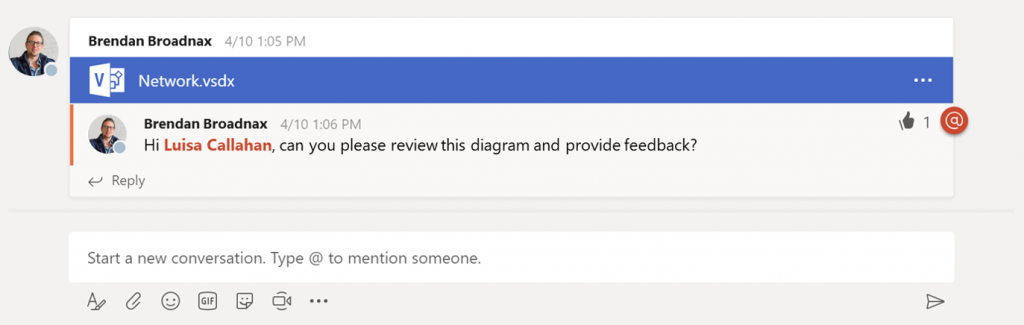
Edit diagrams directly in Teams
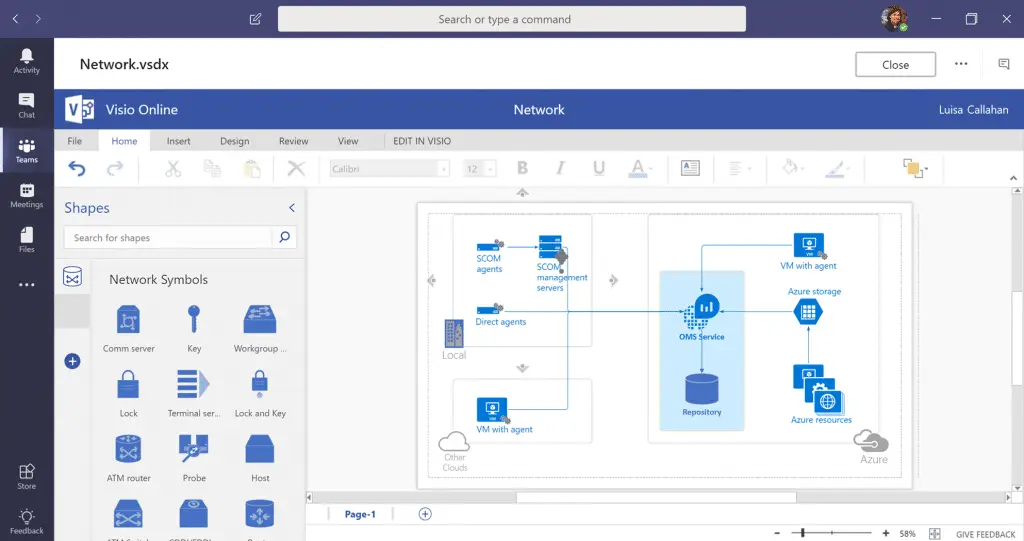
Teams is more than just a file repository, though. Thanks to editing capabilities through Office Online, you can make changes to your Word, Excel, and PowerPoint files directly within Teams. Microsoft extended these editing capabilities to Visio files, enabling you to make simple changes to your diagrams without leaving the Teams app. You also have the option to edit diagrams in Visio for the web or in Visio itself for more robust editing features. Team members will see all your latest changes the moment they refresh the diagram.
Need help rolling out Microsoft Teams or optimizing how your team uses Microsoft 365 across the board? That’s exactly the kind of proactive guidance our team provides. Learn more about our managed IT services and how we help businesses get more from their Microsoft tools.
Provide diagram feedback in real time
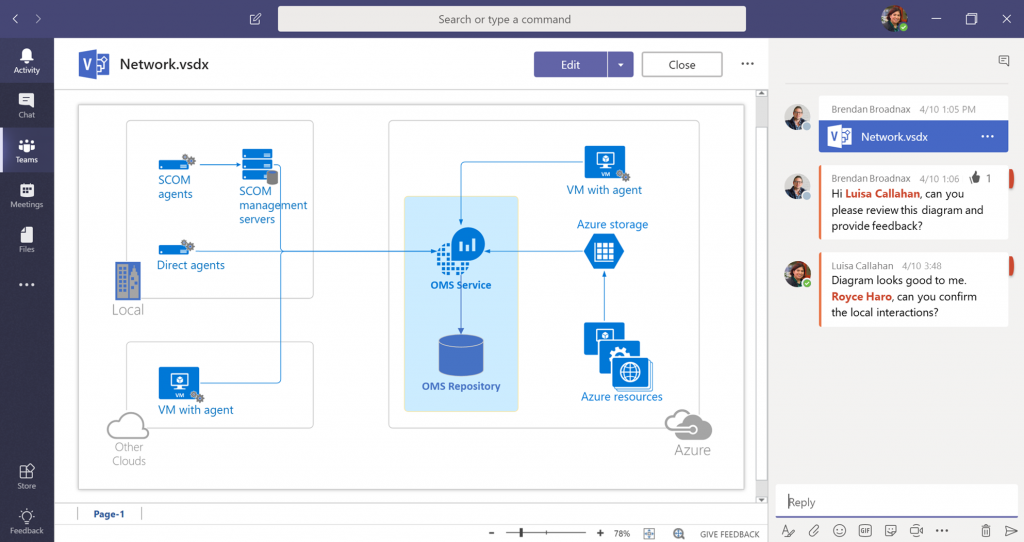
Team members can work together on diagrams through in-app conversations to provide feedback in real time. Conversations are specific to the diagram you’re working on and appear the moment you submit them. You can also link to other files and use @mentions to get the attention of individual team members. Plus, your diagram comments show up in the team’s overall Conversations tab, along with feedback from all other stored files, giving a single view of all conversations across assets. Responses to a comment in the Conversations tab also appear in the diagram’s dedicated conversations pane.
Do more with Visio in Microsoft 365
Viewing diagrams within Teams is available for most Microsoft 365 commercial subscribers, but full editing capabilities require a Visio Plan 1 or Plan 2 subscription. Please note, neither of these licenses include Teams, which is available through Microsoft 365. Visit the Microsoft Visio plans and pricing page for more details on each plan, as well as options for getting started with Visio.
Make the Most of Microsoft 365 With the Right IT Partner
Visio inside Teams is one example of how the Microsoft 365 ecosystem keeps expanding, giving your team more ways to work smarter without switching between apps. But getting full value from these tools requires the right setup, licensing, and ongoing support.
At WheelHouse IT, we help businesses across South Florida and New York make the most of their Microsoft investments, from Teams and Visio to security, compliance, and beyond. Our platform gives you real-time visibility into your IT environment so nothing falls through the cracks. Reach out to our team to see how we can help your business work better.
Source: Visio, Microsoft