As a proud Microsoft partner and a proud supporter of diversity – we thought it would be fun to make sure everyone knew they could show their pride within the Microsoft apps they know, love, and use every day!
Celebrate Pride with special themes
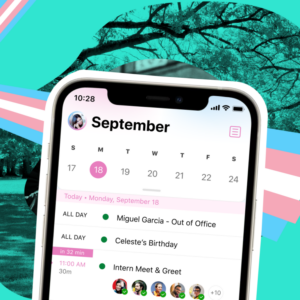
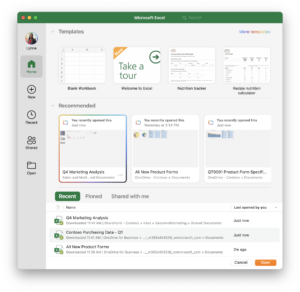
We’ve created a colorful theme inspired by the flags of the LGBTQI+ communities to help you show your Pride in Office Mobile, Outlook, Teams, and a variety of standalone Office apps (see availability details below). When you’re using the Pride theme, you’ll see rainbow accent colors applied across your apps.
In Outlook, you can also celebrate by choosing one of five different themes inspired by the Pride, Lesbian, Bisexual, Non-binary, and Transgender flags. (The Outlook themes will be available on a year-round basis, not just during the month of June.)
How it works
Here’s how to get your Pride on this year on your device or computer.
On iOS and Android:
- Tap on your profile photo in the upper left corner, then tap Settings.
- In Outlook, tap Appearance, then tap on a Pride theme to enable it.
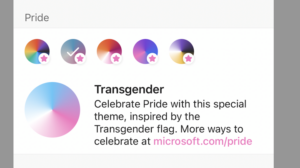
- On other apps, tap Show Your Pride to enable the theme.
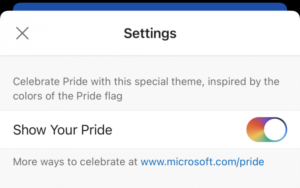
On Mac:
- Click the App menu on the menu bar, then click Preferences.
- Under Personal Settings, click Show Your Pride and select the Show Your Pride check box.
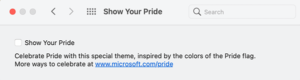
- You’ll then see special rainbow accent colors across the app.
Availability
The Pride theme is available in the following Microsoft 365 apps:
- iOS: Outlook, Teams, OneNote, Office, Word, Excel, PowerPoint
- Android: Outlook, Teams
- Mac: Word, Excel, PowerPoint, OneNote
This feature is available to all Microsoft 365 subscribers on iOS and Android. Mac users must be running Beta Channel Version 16.49 (Build 21050201) or later.
Features are released over some time to ensure things are working smoothly. We highlight features that you may not have because they’re slowly releasing to larger numbers of Insiders. Sometimes we remove elements to further improve them based on your feedback. Though this is rare, we also reserve the option to pull a feature entirely out of the product, even if you, as an Insider, have had the opportunity to try it.
Contact Us Today and
Check Out Our Blog!
