

Intelligent Recap
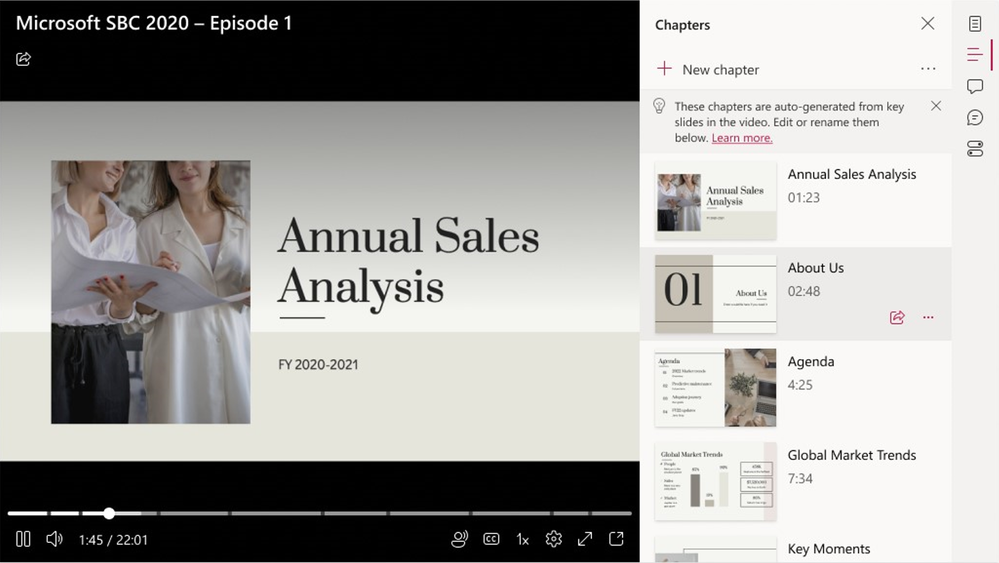
Intelligent Recap is a tool that uses AI-generated chapters based on PowerPoint Live to divide meetings into sections using presentation content. Therefore, it helps save time spent reviewing meeting recordings.
Personalized Timeline Markers
Personalized timeline markers are only visible to the user and call out when a user joined or left a meeting recording or when their name was mentioned. Additionally, they are visibile when a screen was shared.
Live Translation
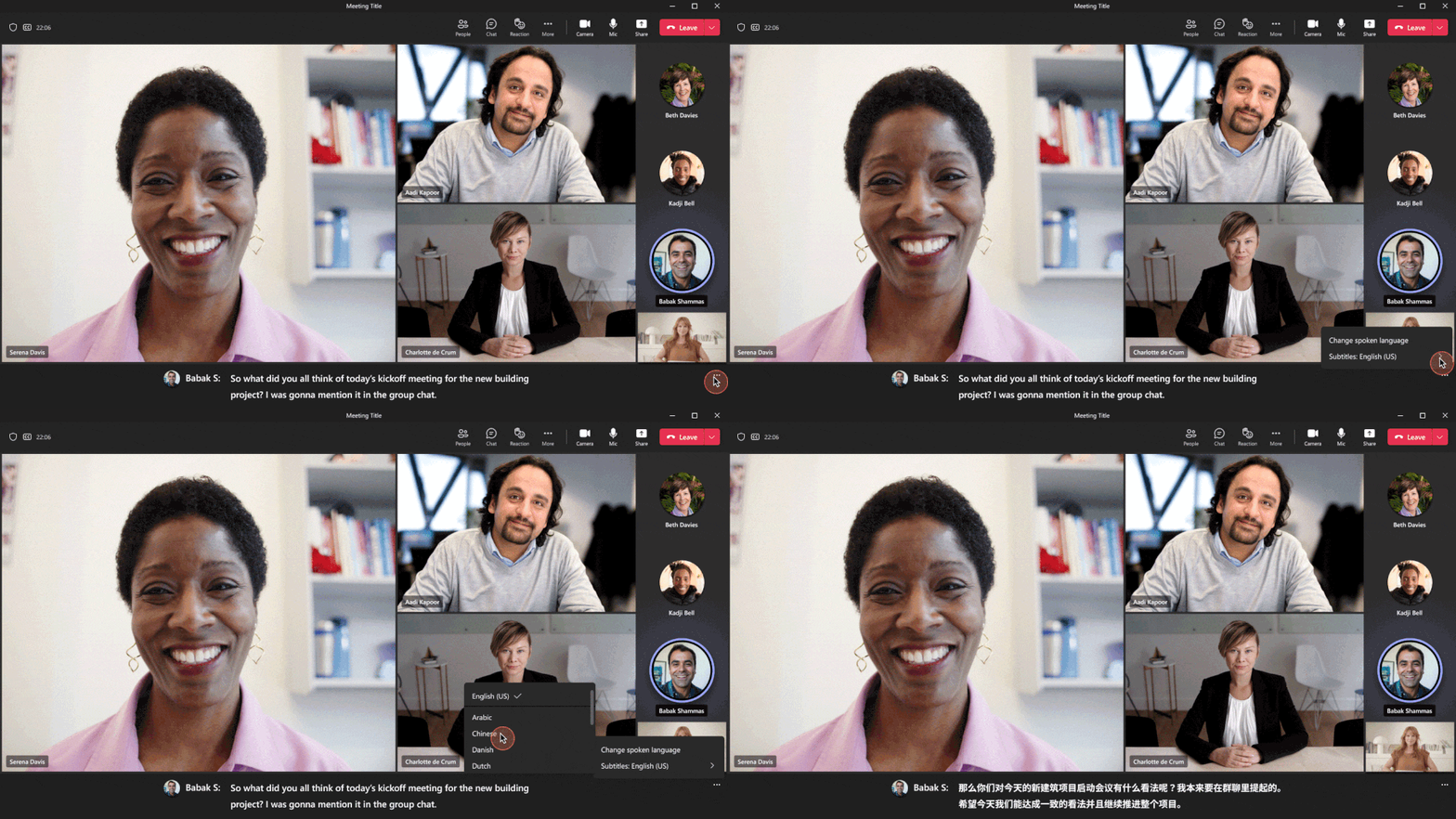
Live translation is available in Teams Premium. Subsequently, providing AI-powered real-time translations in 40 spoken languages for captions in meetings. This helps with collaboration challenges, especially when working with people who speak different languages.
Custom Meeting Templates
IT admins can create customized meeting templates, such as a client call, brainstorming meeting, or help desk call. Thus, automatically including the correct settings and ensuring meetings adhere to company policies.
Branded Meetings
Teams Premium also provides advanced personalization experiences, including branded meetings that display the logo and colors of the company. As well as infuse the brand colors into the meeting itself.
Custom User Policy Packages
Custom user policy packages are finally available. Thus, allowing IT to create a customized bundle of policies for users with similar roles in the organization.
Watermarking
Meeting organizers can also leverage a unique watermark over attendee screen shares and video feeds. Thus, deterring leaks when sharing sensitive or confidential meeting content.
Who Can Record
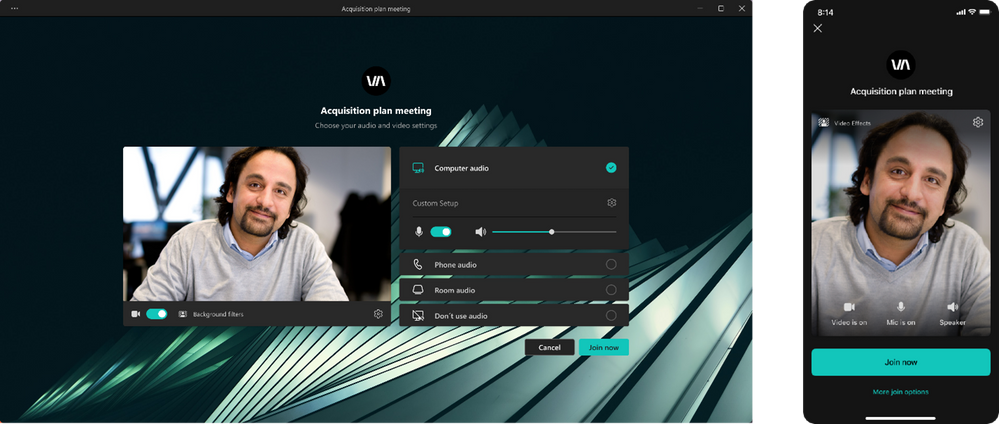
With the “Who can record” option, meeting organizers can limit who can record specific meetings. Thus, keeping discussions private.
End-to-End Encryption
End-to-end encryption (E2EE) for online meetings can be applied to disable core meeting features. Such as recording for rare, extremely sensitive meetings.
Sensitivity Labels for Teams Meetings
Microsoft 365 E5 customers with Teams Premium can enable Microsoft Purview Information Protection sensitivity labels for Teams meetings. Therefore, automatically applying relevant and important meeting options based on the sensitivity of meeting content.
Teams Premium includes webinars, allowing users to host various virtual events as well as offer personalized touches for presenters and attendees. Webinar organizers can also enable registration waitlist and manual approval to manage registration and review registrants.
Hosts can customize registration start and end times to make it easier to plan and manage events. Additionally, webinar presenters can join the virtual green room to prepare before the webinar without disturbing attendees.
If you’re interested in getting access to Teams Premium you can book time on the calendar below.
In addition to Teams Premium, there are core updates to Teams for Meetings, Virtual Appointments, Calling, Chat and collaboration, Teams for Education, and Management are also available to everyone.
Premium Non-Teams Updates:
Meetings
- Tabs can now be accessed by anonymous users in Teams meetings.
- In-meeting notifications can now be sent by a bot to specific individuals.
Virtual Appointments
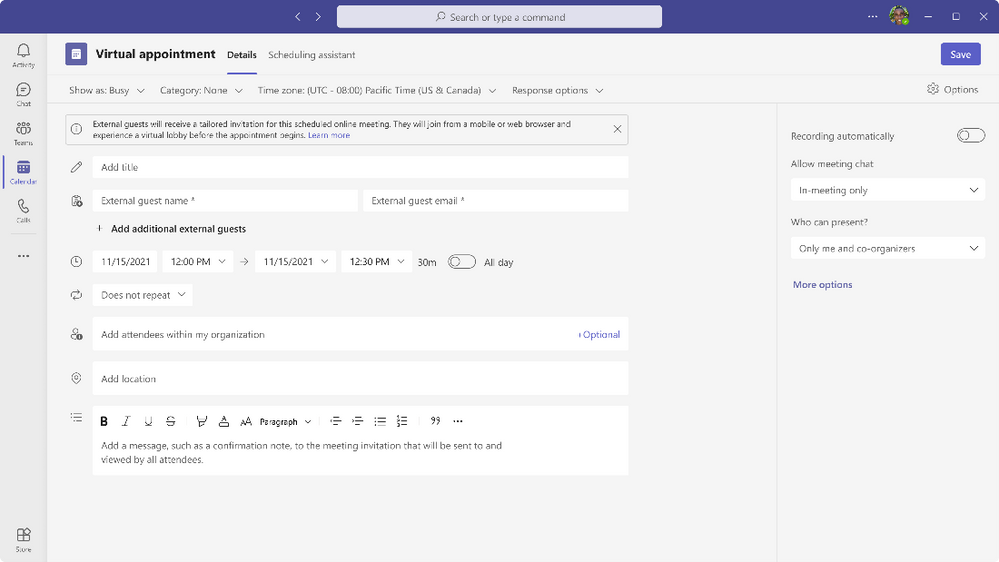
- A Virtual Appointments Teams meeting template is now available in Teams Calendar for external meetings.
- Additionally, developers can create and manage Virtual Appointments for business-to-consumer scenarios using Virtual Appointment Graph APIs.
Calling
- iOS devices can now use picture-in-picture mode for multitasking.
- Co-organizers can now create, manage, and move between Breakout Rooms.
- Usability of the presenter window has been improved during screen sharing.
- Authentication improvements include improved sign-in reliability and detailed error messages.
- Survivable Branch Appliance has enabled new call controls.
- Android devices are also now supported in the Teams Rooms Pro Management portal.
Certified Devices
- Lenovo ThinkSmart One collaboration bar and Lenovo Core Bundle for Teams Rooms on Windows are now certified.
- Crestron FLEX Microsoft Teams Rooms kit with Dell OptiPlex for Teams Rooms on Windows is also certified.
- Yealink UH37 Dual/Mono Headset is now certified for personal peripherals.
Chat and Collaboration
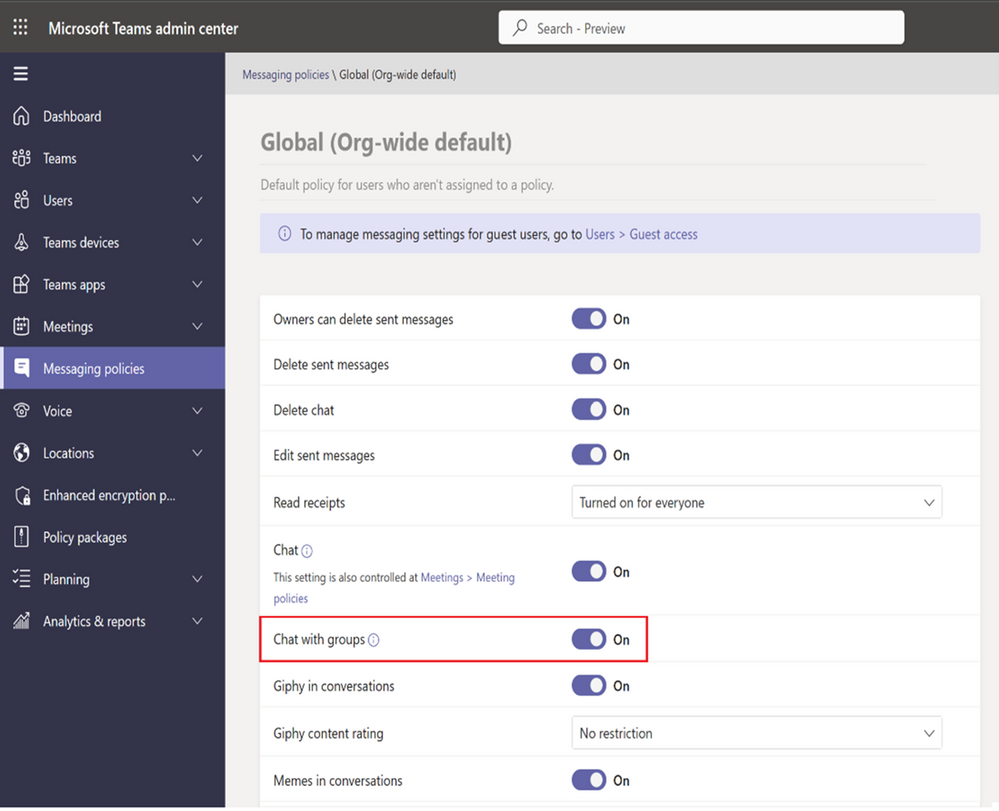
- Teams users can now chat with distribution groups, mail-enabled security groups, and Microsoft 365 groups within their organization.
- New text formatting options are available in Teams messages, including strikethrough, quote, and code.
- The sharing experience in Teams has been improved. Thus, allowing users to preview and select multiple files at once.
- Suggested replies are now available in Teams chats to provide quick responses to common messages.
- In-app notification settings can now be customized by users to prioritize the notifications that are most important to them.
- Teams now integrates more closely with Outlook. Therefore, enabling users to access their Teams conversations directly from Outlook.
- Teams now supports additional languages, including Hindi, Filipino, Bengali, Telugu, Tamil, and Marathi.
These updates are designed to enhance the functionality and user experience of Teams. Thus, improving collaboration and productivity for both individuals and organizations.