Microsoft is excited to announce a new and improved user interface on Microsoft Teams phones. These experiences are now available to all users as a firmware update through the Teams Admin Center as of May 1, 2020.
The new look has been designed to help users navigate quickly between features and gain access to favorites, manage a variety of user settings from the Teams phones and enable auto dialing. If your business is already using or considering Microsoft 365 Business Voice, these updates make the experience even better for your team.
User Interface updates
Always available dial pad
With an always available dial pad for devices in landscape mode, users can make calls even faster. Microsoft has also made it easier to access favorite contacts with touch-friendly icons. In the portrait layout, customers can toggle seamlessly between favorites and recent calls view.
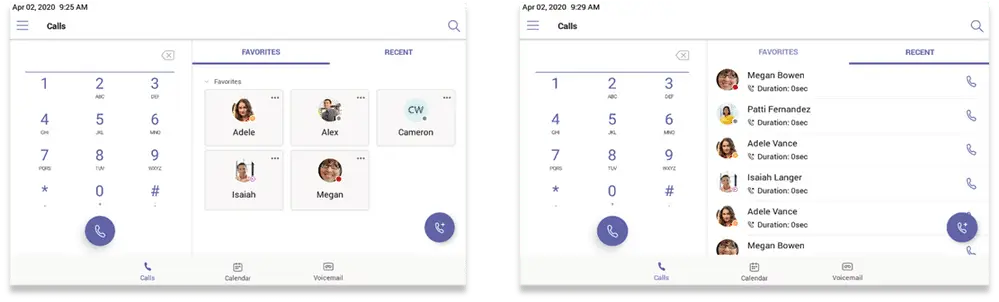
Landscape mode
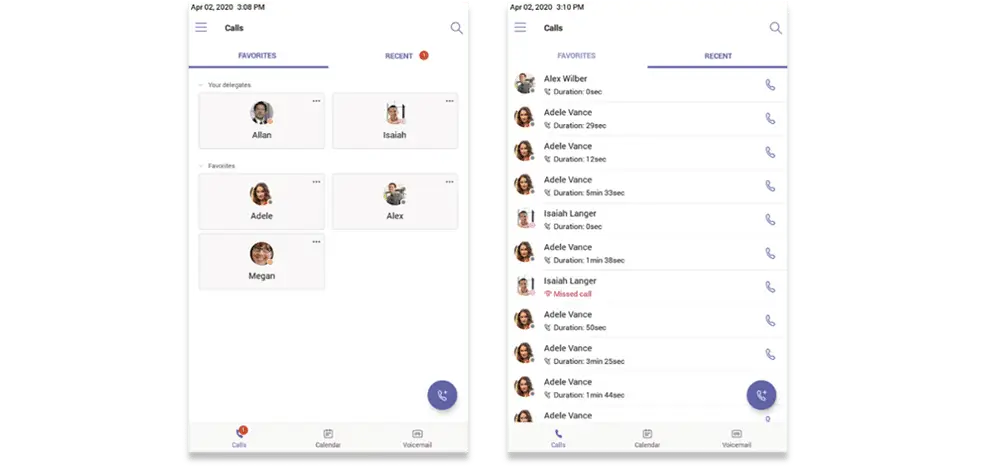
Portrait Mode
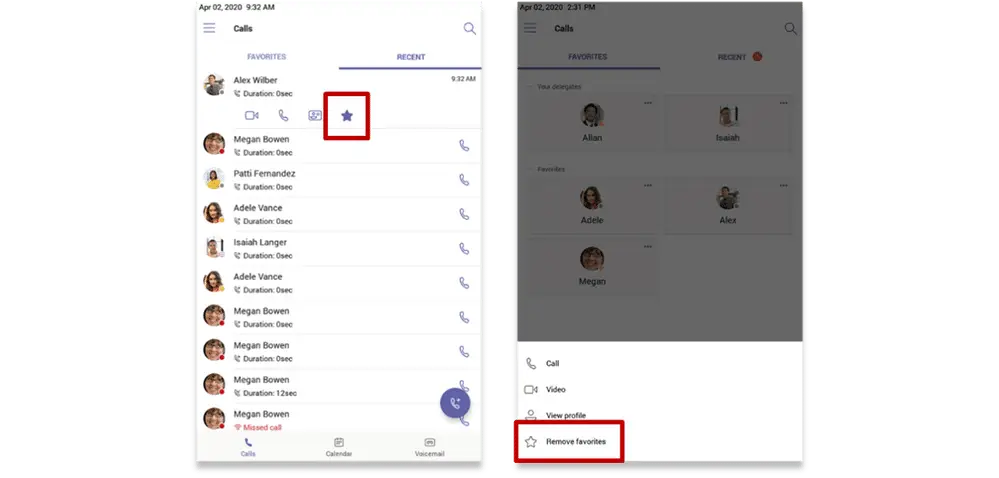
Add and remove favorites
By default, all favorite contacts from the Teams desktop client and the Skype for Business client are marked as favorite contacts on Teams phones. Users can also add and remove favorites right from the phone by toggling the favorite icon (star) on the recent calls list or by accessing the more options menu on the contact card. (Skype for Business reached End of Life on July 31, 2021. WheelHouse IT can help businesses still on Skype for Business migrate to Microsoft Teams and VoIP.)
Group call pickup
With call sharing and group call pickup, users can share incoming calls with colleagues who can answer the calls while the user is unavailable. Group call pickup is less disruptive to recipients than other forms of call sharing (such as call forwarding or simultaneous ringing) because users can configure how they want to be notified of an incoming shared call (via audio and visual notification or visual only) and decide whether or not to answer it. This feature pairs naturally with the pod-based support structure used by WheelHouse IT’s managed services teams to keep response times low.

New phones settings
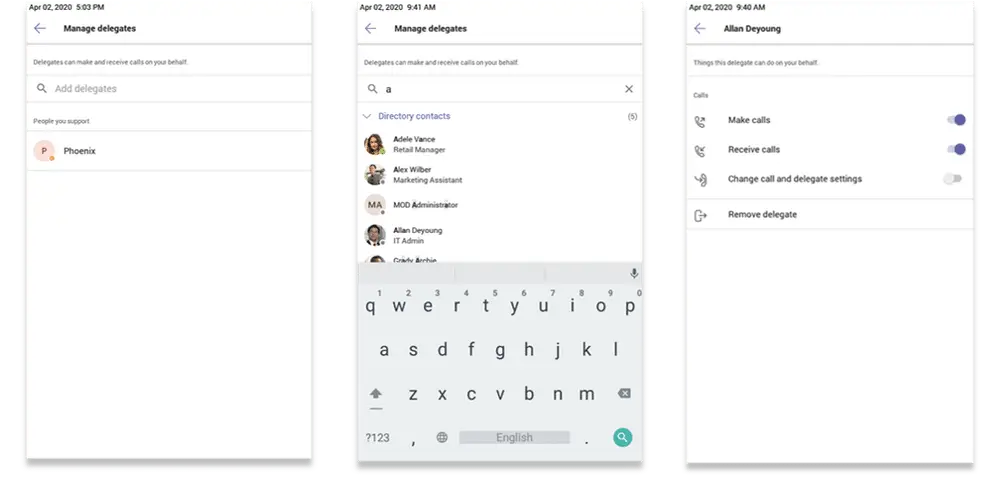
Delegate management
Choose someone in Teams to be your delegate so they can receive and make calls on your behalf. When you add a delegate, you can customize what controls they have. This new feature is available via the settings menu on your phone.
Ringtone customization
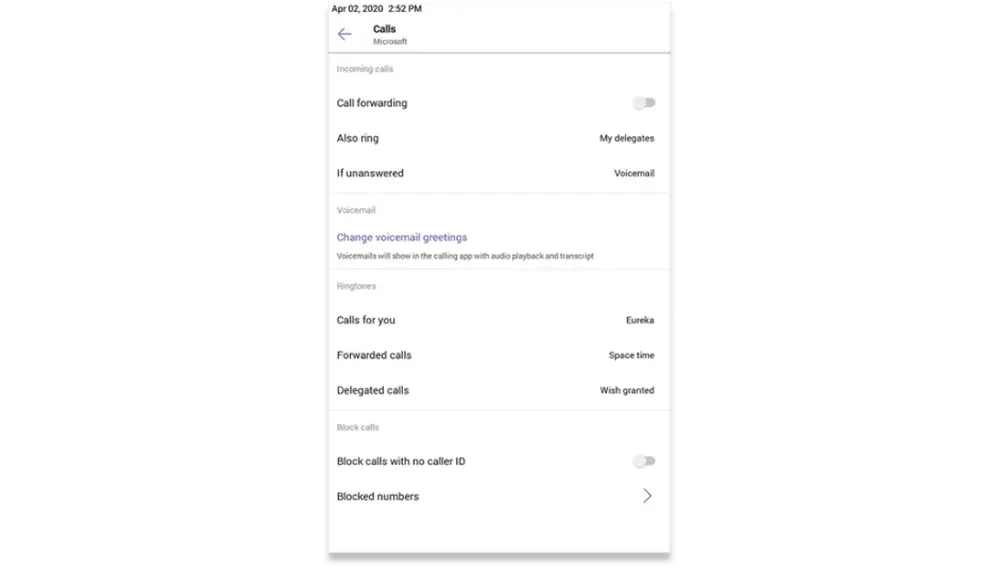
Microsoft notes that one of the more frequently asked features is ringtone customizations. Enabled users can choose custom ringtones from an available list of ringtone options and set different ringtones for incoming calls, forwarded calls, and delegated calls.
Autodial for extension dialing
Tenant admins can add dial plans for their organization with normalization rules to enable extension dialing in Teams. With this new feature release, Teams phones will auto dial in 3 seconds after an approved extension is dialed by the user.
To take advantage of all these new features and more, check out the full list of certified Teams Phones from industry-leading partners including Audiocodes, Crestron, Lenovo, Poly, and Yealink. If you already have a phone and do not see updates for your phone models, check with your phone manufacturer for firmware release schedules.
Ready to bring your phone system into the modern workplace? WheelHouse IT’s Microsoft 365 Business Voice and Modern Workplace services make the transition seamless. Get in touch with our team to get started.
By: Microsoft Teams Team, Microsoft