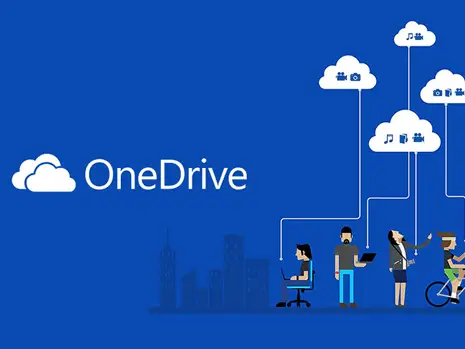
With you and your team working from home for the foreseeable future, it’s important that you prioritize connectivity and collaboration in your workspace. It’s crucial that you can view, edit, and share documents quickly and seamlessly to ensure ongoing productivity, not to mention keeping your employees feeling like a team.
Microsoft OneDrive, which is included in the Modern Office suite, makes it easy to access all your business’s important data, documents, and information in one place. OneDrive allows you to automatically back up files and folders, as well as share documents with the click of a button, all from any device.
In this guide, we’re going to explain what OneDrive is, its key features and benefits, and outline how WheelHouse IT’s experts can help your company set it up and stay connected.
What Is Microsoft OneDrive?
Microsoft OneDrive, simply known as OneDrive, is a file hosting and synchronization service operated by Microsoft. It is part of the web version of Microsoft Office.
With OneDrive, you can save files from any Microsoft 365 program and access them on all of your devices, whether you’re in the office or working from home. In this age of digital workspaces and remote work, you need to write and edit from anywhere, and OneDrive allows you to do just that.
How Will Microsoft OneDrive Benefit Your Business?
With your employees all working from home, collaboration is more important than ever. OneDrive can add new ways for you and your team to work together, even while being apart. Here are some of OneDrive’s main features.
Update Files on All Devices
OneDrive works on all devices, whether you use a smartphone, laptop, desktop, or tablet. When you update a file on one device, the changes are shared across all others. This way, you only have to make a change once.
You also know that your files are safe if you lose a device. If you have them backed up on OneDrive, you can shut off access to the lost device to maintain security and continue working seamlessly.
Offline Access Capabilities
You can select certain files to access offline, which allows you to edit and view them without an internet connection. When you reconnect, your changes will be updated automatically.
OneDrive Makes Sharing Easy
With OneDrive, file sharing is simple. You can share files, entire folders, and photos with coworkers via email or text link.
Compatibility with Microsoft 365 Apps
OneDrive is compatible with Microsoft 365 apps like Word and Excel, meaning you can save documents and spreadsheets created in those programs directly to OneDrive. It’s part of the Modern Office ecosystem, so everything works together seamlessly.
Extra Security for Sensitive Information
You can store important files and sensitive information in OneDrive Personal Vault. This gives you an added layer of protection for personal information and business documents that you want to limit access to.
Special Mobile Device Features
OneDrive allows you to scan documents, business cards, notes, memos, and other documents and save them, all using your smartphone. This is useful for transitioning your business into the digital space, making physical documents accessible virtually.
Cloud Storage Saves Space
By using OneDrive, you get 1TB of cloud storage per user, which lets you access all your files without taking up your device’s local storage space. You also receive document-sharing capabilities, ransomware recovery features, and more.
How Can WheelHouse IT Help Set Your Business Up With OneDrive?
At WheelHouse IT, we want to see your business succeed in these uncertain times, and beyond. We have a dedicated and experienced team of managed IT professionals who can help you navigate the modern workplace and implement Microsoft Modern Office and OneDrive for your business as you continue to work from home.
Work with a team that is knowledgeable and experienced with Modern Office by getting in touch with us today. Microsoft OneDrive makes connectivity, collaboration, and security simple, allowing you to share, view, access, and edit documents with your employees from anywhere. WheelHouse IT has the experts to help you implement it effectively.
Let’s work together to make sure your business remains as effective, productive, and secure as possible.
Key Takeaways: Evaluating Clinical Disaster Recovery Services Recovery Time Objective (RTO) and Recovery Point Objective (RPO) must align with clinical