Today we are thrilled to announce Templates in Microsoft Teams, enabling you to create effective teams faster and more easily than ever.
With a template in Teams, users can choose from a variety of customizable templates when creating a new team, helping them get started quickly. IT professionals can also create new custom templates for their organization, allowing them to standardize team structures, surface relevant apps, and scale best practices. Templates in Teams will roll out in the next few months.
Create Effective Teams Quickly
Teams are the atomic unit of productivity in the workplace, and in Microsoft Teams. A well-designed team brings together channels, tabs, and apps that combine into something greater than the sum of its parts. Templates in Teams bring together those exact ingredients to help users create teams quickly for effective collaboration. Let us show you how.
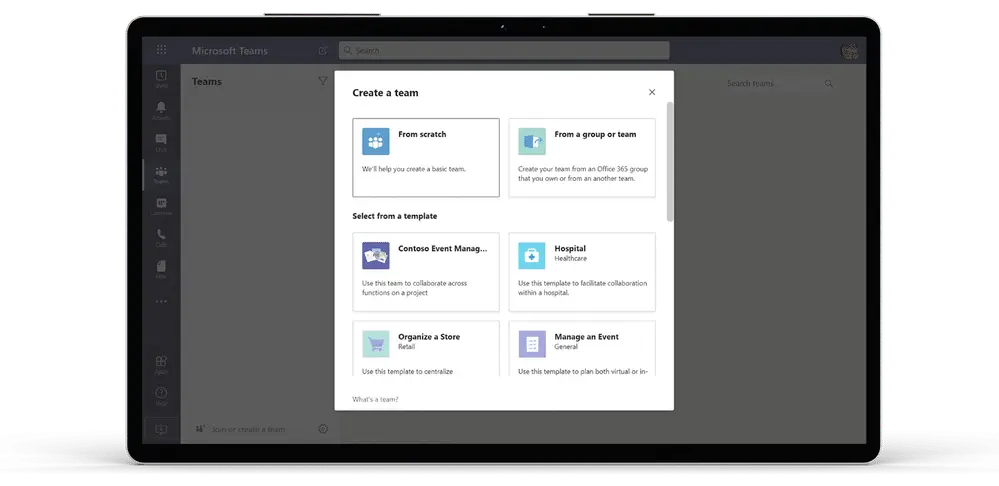
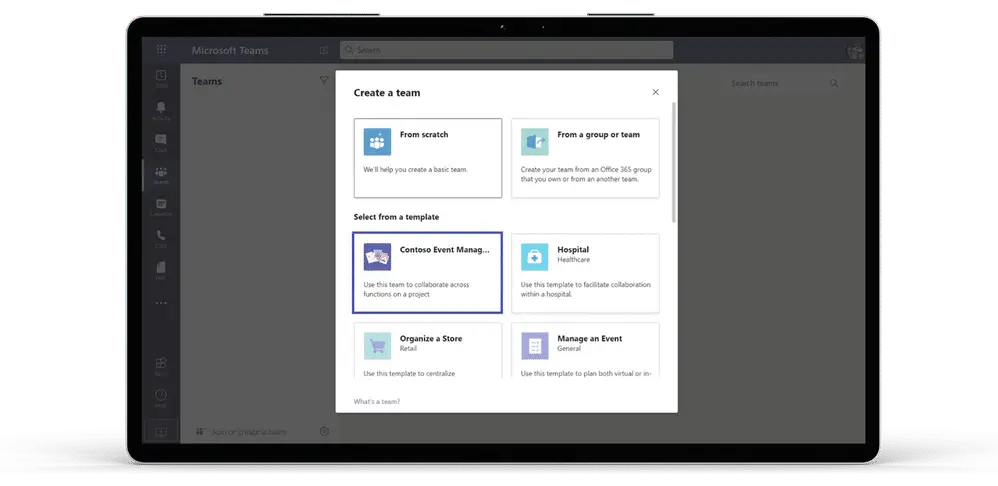
When creating a new team, users will be able to choose from a variety of customizable templates depending on the purpose of the team. Options will include common team types like event management and crisis response, as well as industry-specific templates like hospital ward and bank branch. Templates are standardized team structures that come with pre-defined channels, tabs, and apps, providing an effective team structure out of the box and helping users discover relevant capabilities.
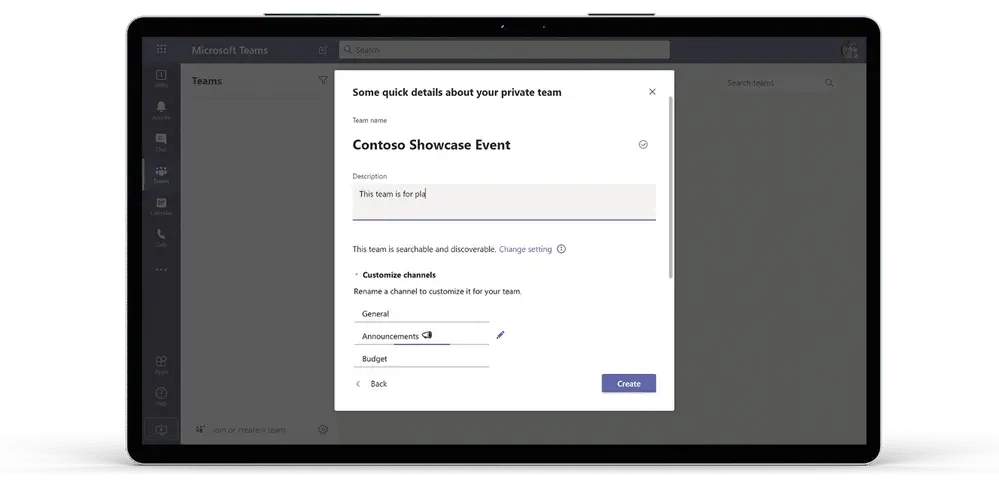
Users will be able to customize the team name, description, and channel names when creating a team from a template.
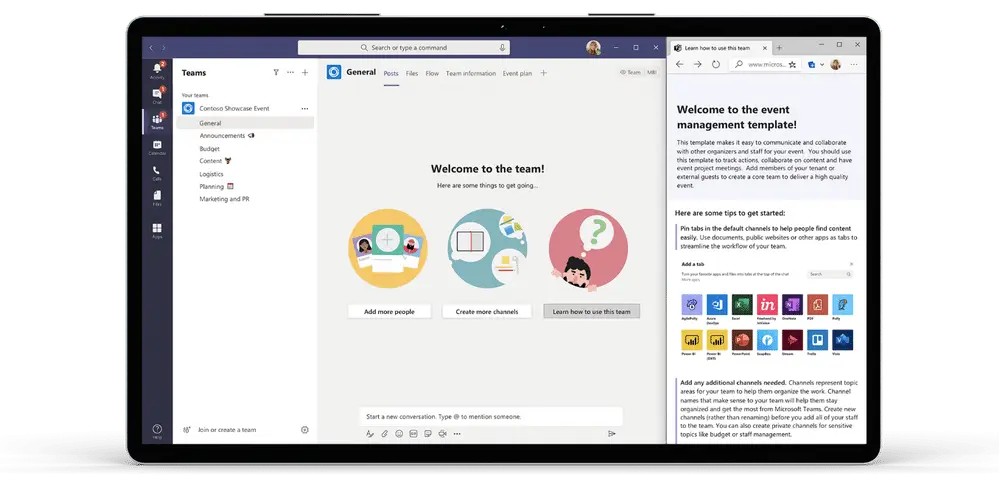
After the team is created, users will receive guidance on how to best use and further customize the team. Each template will come with its own getting started guidance.
Initially, Microsoft will publish 12 first-party templates spanning key business scenarios and industries so that users can hit the ground running with Teams. For a closer look at how different departments can take advantage of these structures, check out our post on how every department benefits from using Microsoft Teams.
Create New Templates for Your Organization
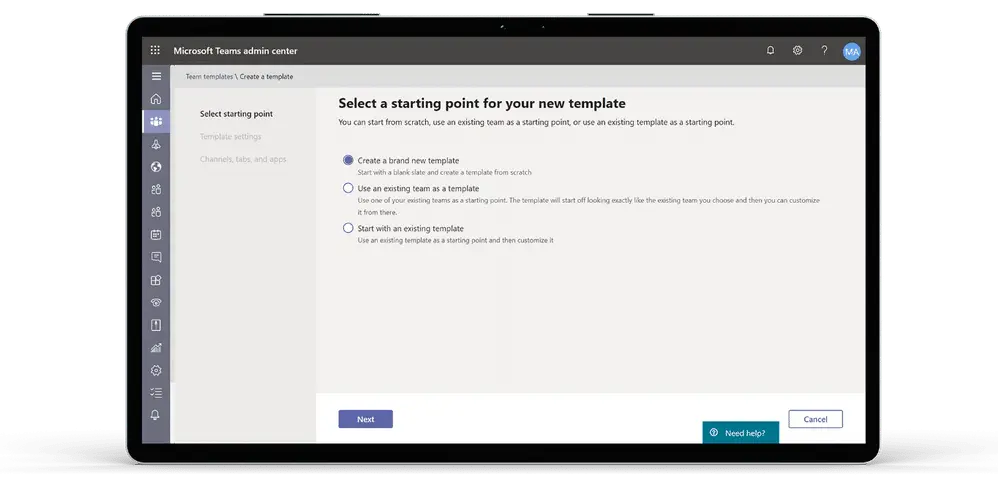
In addition to leveraging a first-party template from Microsoft, organizations can create their own custom templates to fulfill unique business needs. This allows IT teams to take proven team structures for common scenarios and deploy them at scale across an organization. From the Microsoft Teams admin center, admins can easily create new templates from scratch, modify an existing template, and even templatize an existing team.
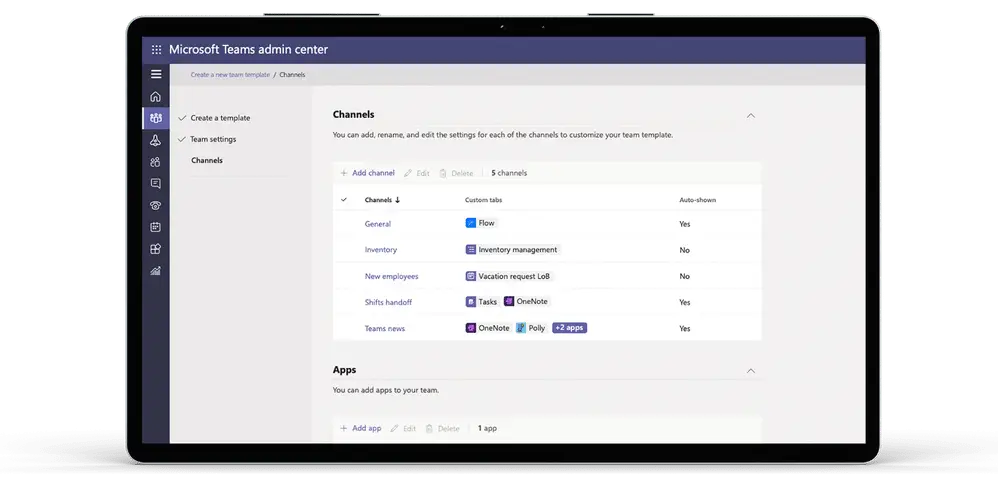
During the creation process, admins can define the channel structure, tabs, and apps that make up the new template. By packaging relevant line-of-business apps* into templates, IT teams can effectively surface them to the right members of the organization.
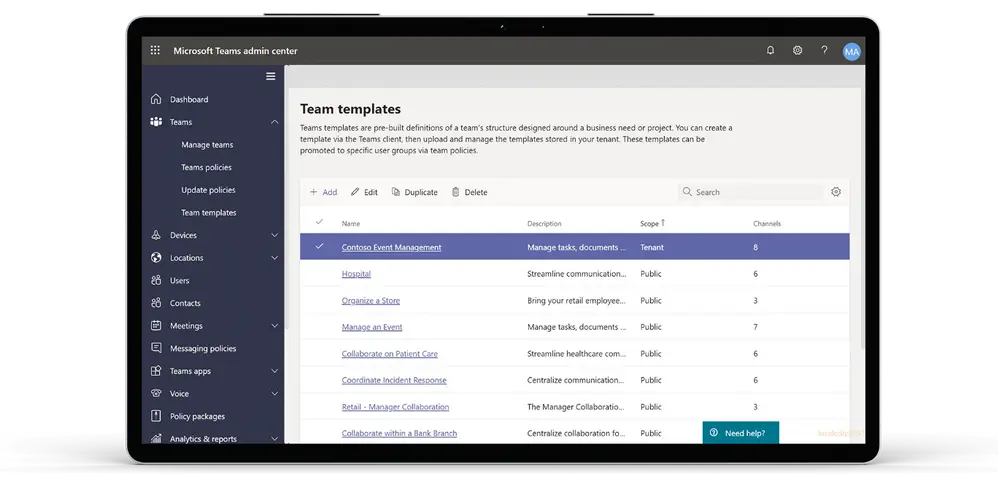
All templates, whether first-party or admin-created, can be managed and modified from the Microsoft Teams admin center.
For end users, a template created by the user’s organization will appear at the top of the list of available templates during team creation, making them easily discoverable. In the future, Microsoft will release policy-based controls that enable admins to target a template to specific users.
A template in Teams is an important building block for IT teams and partners to build custom experiences for their users. We can’t wait to see what templates you’ll create.
Ready to get more out of Microsoft Teams? Contact WheelHouse IT today, as a Microsoft partner, we help businesses set up, manage, and optimize their Teams environments every day.
*Apps that are packaged into templates will still require users to possess the requisite licenses.
Key Takeaways: Evaluating Clinical Disaster Recovery Services Recovery Time Objective (RTO) and Recovery Point Objective (RPO) must align with clinical