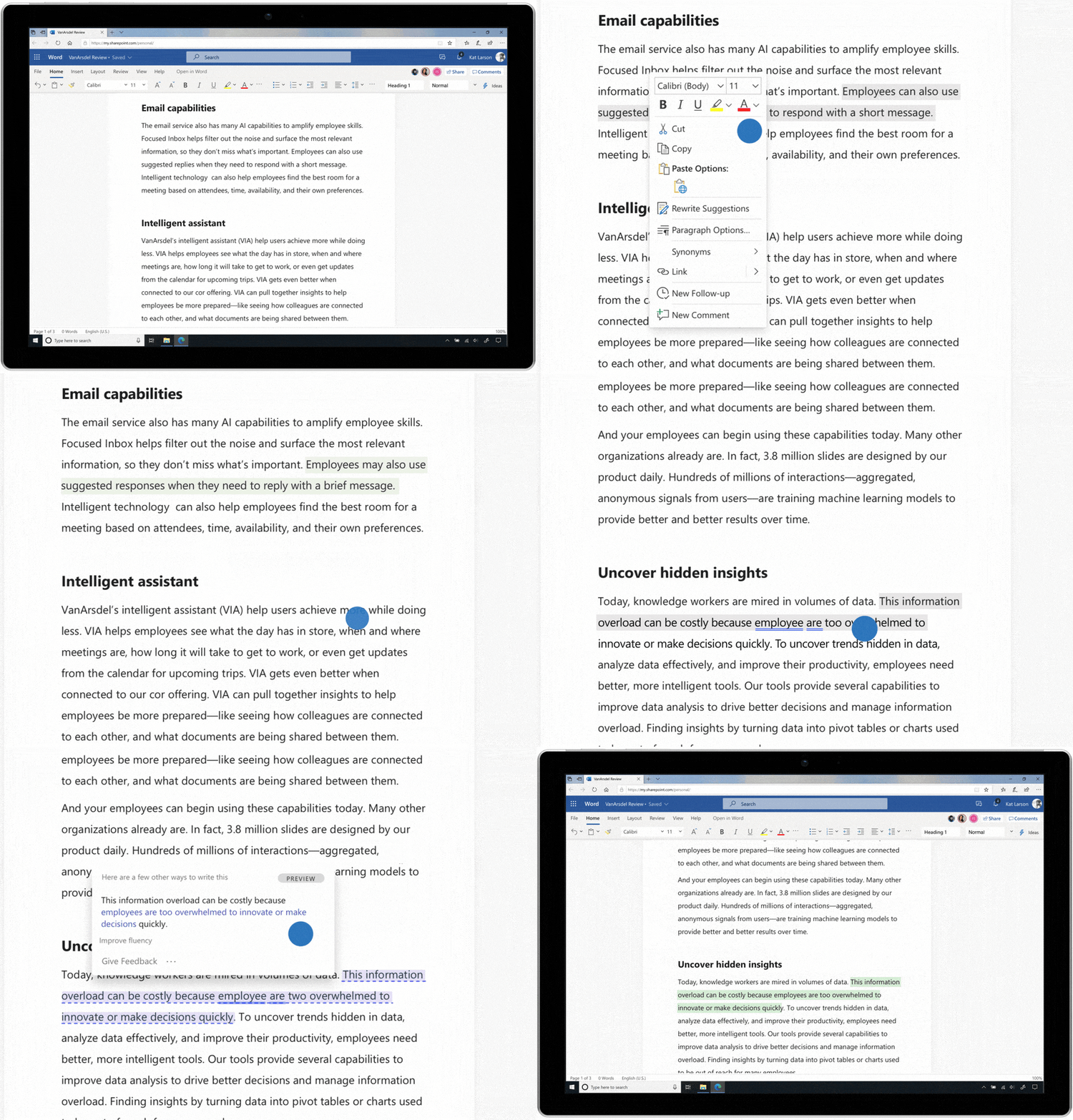
We all have those moments where we know what we want to say but can’t seem to find the right way to say it. Built into Microsoft Word is Rewrite Suggestions, a feature that offers ideas to help you rephrase sentences for more impact or clarity while staying true to your original meaning.
In 2019 Microsoft announced Rewrite Suggestions, which focused on phrasal suggestions. Microsoft then introduced an update to this feature that provided sentence-level writing suggestions — powered by cutting-edge neural-network machine learning models trained on millions of sentences.
Note: The original Rewrite Suggestions feature was deprecated after October 1, 2025, and has since been replaced by the more advanced Copilot in Word rewrite experience. The walkthrough below reflects how the original feature worked and remains useful context for understanding what Copilot now does — with significantly more power.
How it works
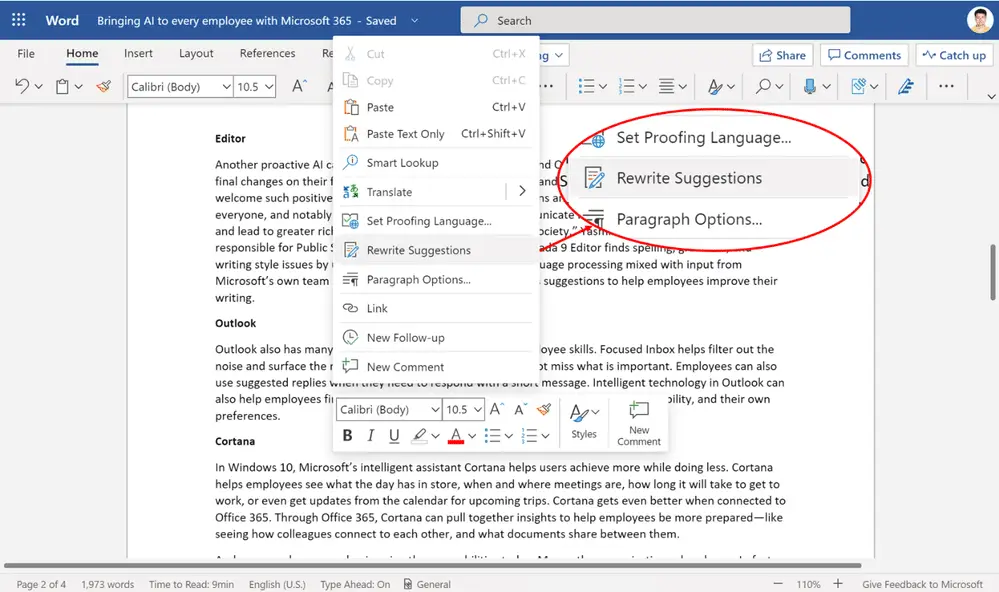
Select a sentence, or right-click in a sentence, and you will find Rewrite Suggestions in the context menu.
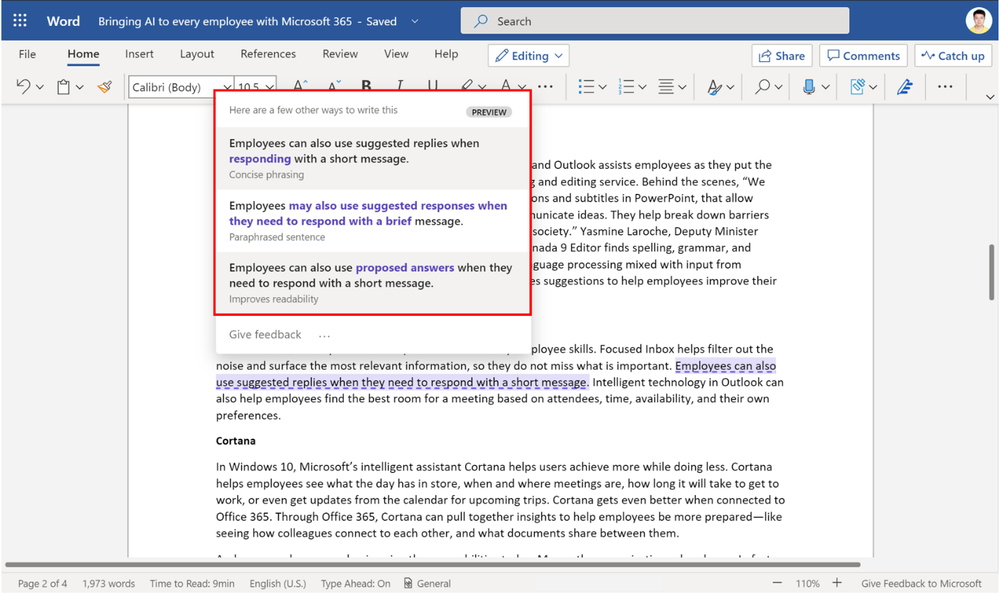
A rewrite suggestion card shows up near your sentence. It offers different types of suggestions:
Improves fluency: These suggestions aim to improve the flow of the wording, including mechanics like grammar and spelling.
Concise phrasing: The goal of these suggestions is to express an idea clearly, without extra words.
Paraphrased sentence: These suggestions offer synonyms for alternative wording.
Improves readability: The goal of these suggestions is to make the writing easier to read for people with different reading abilities. In general, suggestions will include shorter, simpler wording.
In each of the suggestions, the range of text containing all the changes is highlighted in purple. You may not see all categories of suggestions for a sentence, and sometimes there may be no suggestion at all — because your sentence is already good enough.
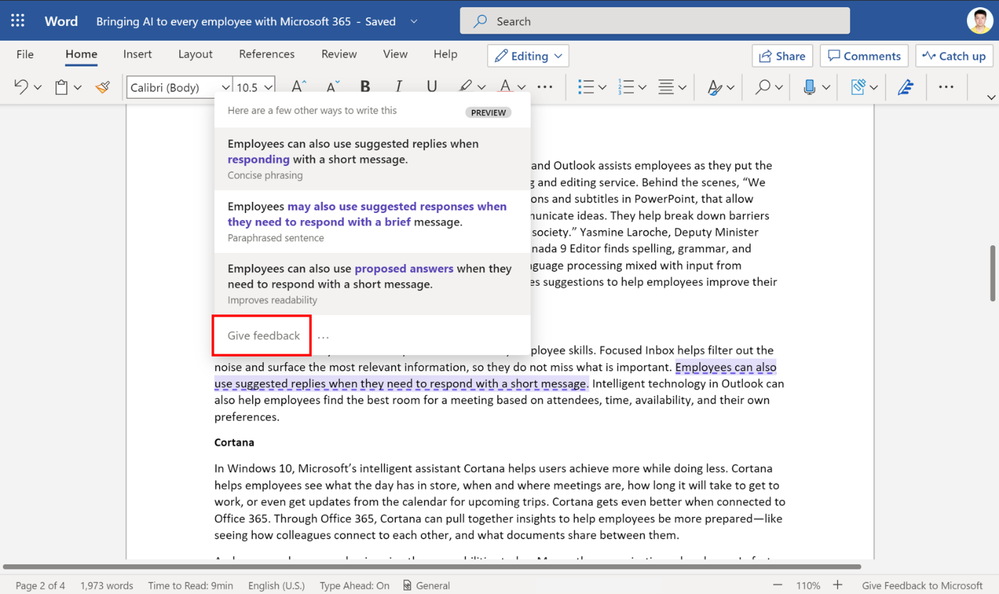
Your feedback on the suggestions helps Microsoft improve the feature. Click Give feedback below the suggestions, and then choose the suggestion you want to tell Microsoft about.
Availability
The original Rewrite Suggestions feature was available for users of Word on the web with a Microsoft 365 (or Office 365) subscription, and supported English only.
What’s Replaced It: Copilot in Word
Microsoft has taken writing assistance well beyond what Rewrite Suggestions offered. Copilot in Word now handles context-aware rewrites, prompt-based editing, and iterative refinement — letting you highlight any text, describe what you want, and receive multiple revised versions to choose from. It’s the same idea behind the original feature, significantly upgraded.
Getting the most out of tools like Copilot in Word starts with having the right Microsoft 365 licensing in place. Not sure what your team needs or whether your current setup supports these features? Reach out to WheelHouse IT — we help businesses across South Florida and New York make the most of their Microsoft investment.