
Using Apps in Teams to Rethink Daily Standups
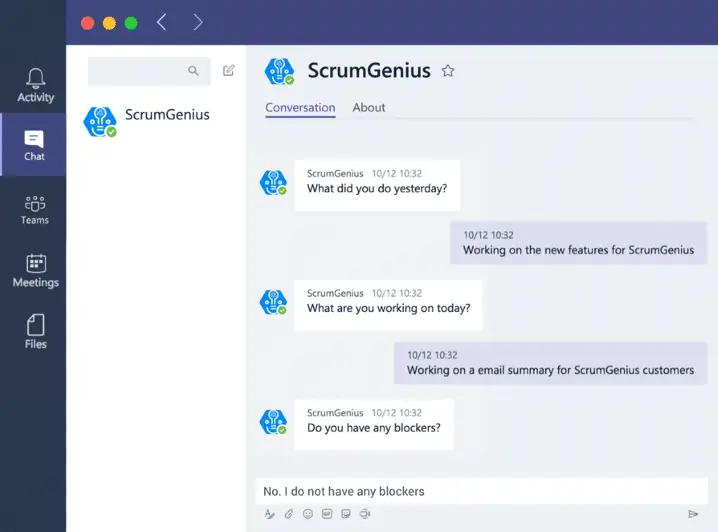
Daily standups — even when times were “normal” — were difficult to manage. Finding a convenient time to meet, keeping it brief and efficient, and keeping everyone focused and informed are challenges in any environment. Now add the challenge of managing a completely remote team and you’ve got yourself a tricky situation. Before you shift your standups online, consider experimenting with new ways to make them simpler to manage, more flexible, and more valuable to your team. Teams and partner app integrations make it easy to experiment and discover what works best. An asynchronous standup is a great example of an opportunity to explore when your team is remote. Rather than a fixed time each day to sync, members provide their daily update when they can — providing flexibility and time to focus on doing actual work, as well as a record for tracking. Popular apps like AgilePolly and ScrumGenius automate the coordination, tracking, and reporting of asynchronous standups, making it easy for your teams to stay informed and keep progressing. AgilePolly makes it easy for teams to stay in the loop, stay organized, and save time by automating standups and team check-ins — all while working inside Teams. AgilePolly handles scheduling the standup series and takes care of sending out questions, collecting and consolidating updates, and displaying progress. Whether using AgilePolly for real-time standups, asynchronously, or both, you’ll spend less time gathering information and more time problem-solving.
Integrate Your Task Boards Directly into Your Teams Channel
Another key consideration when exploring opportunities to optimize your standup is having your task boards available to your team in the place where they collaborate. Your task boards are the visual cues into how your team is progressing with work items and stories throughout the sprint — and they’re important to view alongside daily standup updates. Popular apps like Jira and Azure DevOps are integrated with Teams, enabling boards to be populated directly into tabs within channels for easy access and discussion. Jira Cloud and Jira Server are tools designed to help you plan, track, and release software. Access your Jira boards directly from Teams for a seamless collaboration experience and have notifications pushed to the channel for the team to view and act on.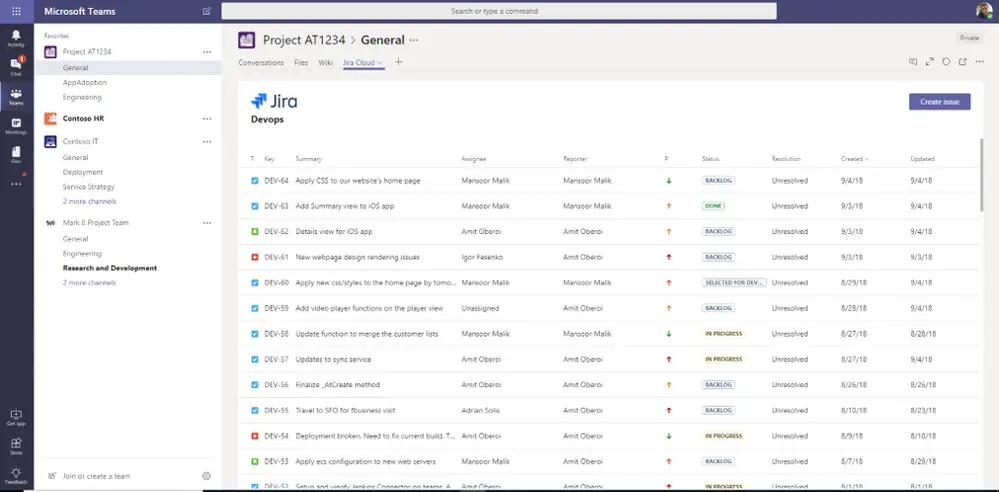
WheelHouse IT has not personally vetted the apps highlighted above by Microsoft.