Microsoft Teams helps your organization streamline productivity tasks and critical business processes when you integrate your apps and workflows, whether that’s re-stocking supplies or giving employees the tools and resources they need to manage their careers.
Microsoft is constantly working to improve the apps experience inside of Teams — from finding the right app to making it readily accessible when you need it. Below are four reasons to love using apps in Teams.
Easily find the app you need
With the integrated search feature within the app store, it has never been easier to find the exact app you’re looking for. When you click the “…” on the Teams app bar, you’ll see a grid of apps and can simply type the app name into the search bar.
You can also search apps that support messaging extensions by clicking the “…” in the message bar and searching for your app — only those apps that support message extensions will appear here.

Feel confident about adding the correct apps
Choosing the right app to use shouldn’t be a stressful process — there are a few important details you want to know before deciding to add an app.
The updated app install flow provides data connection details, privacy and permissions, rich visual screenshots of the app, how it can be used in Teams, and much more — all from the “add” screen for that app, which is made available anywhere you can add an app in Teams (for example in the app store, or by clicking the “+” at the top of a channel).
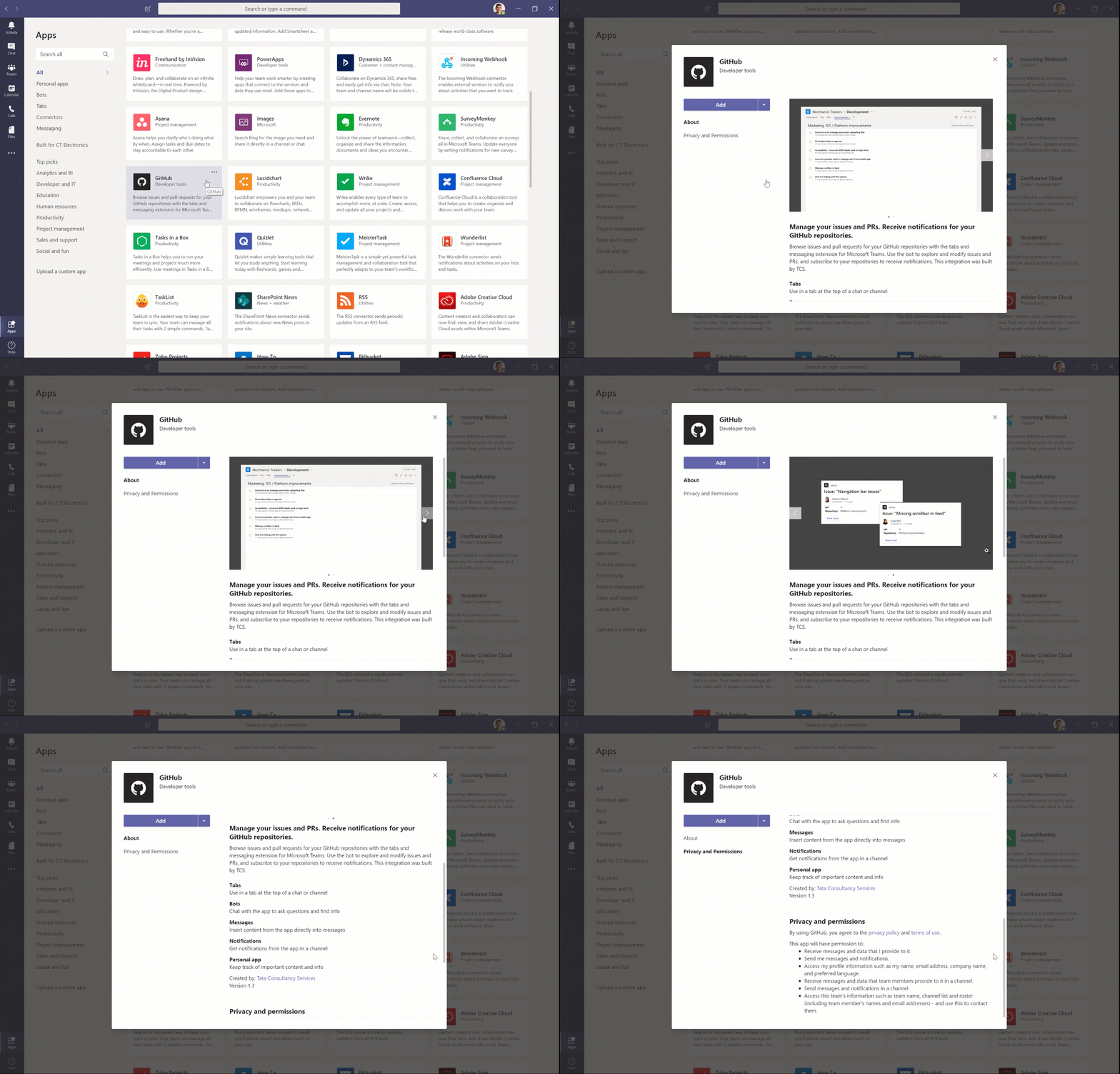
Effortlessly add apps
Now that you’ve added the app you can’t live without, you may want to use it in multiple places in Teams without having to go through the process of finding it again and again. Fortunately, when you add an app in Teams, that app can be easily added anywhere you work. Just add it once (from the app store, for example) and you’ll find that app available to pin to the top of channels or chats, as well as on the “…” on your Teams app bar.
Of course, you still have full control over which apps are added, and where. Not sure which Microsoft 365 tools are right for your business? Our team can help you navigate licensing, app deployment, and configuration so your stack actually works for you.
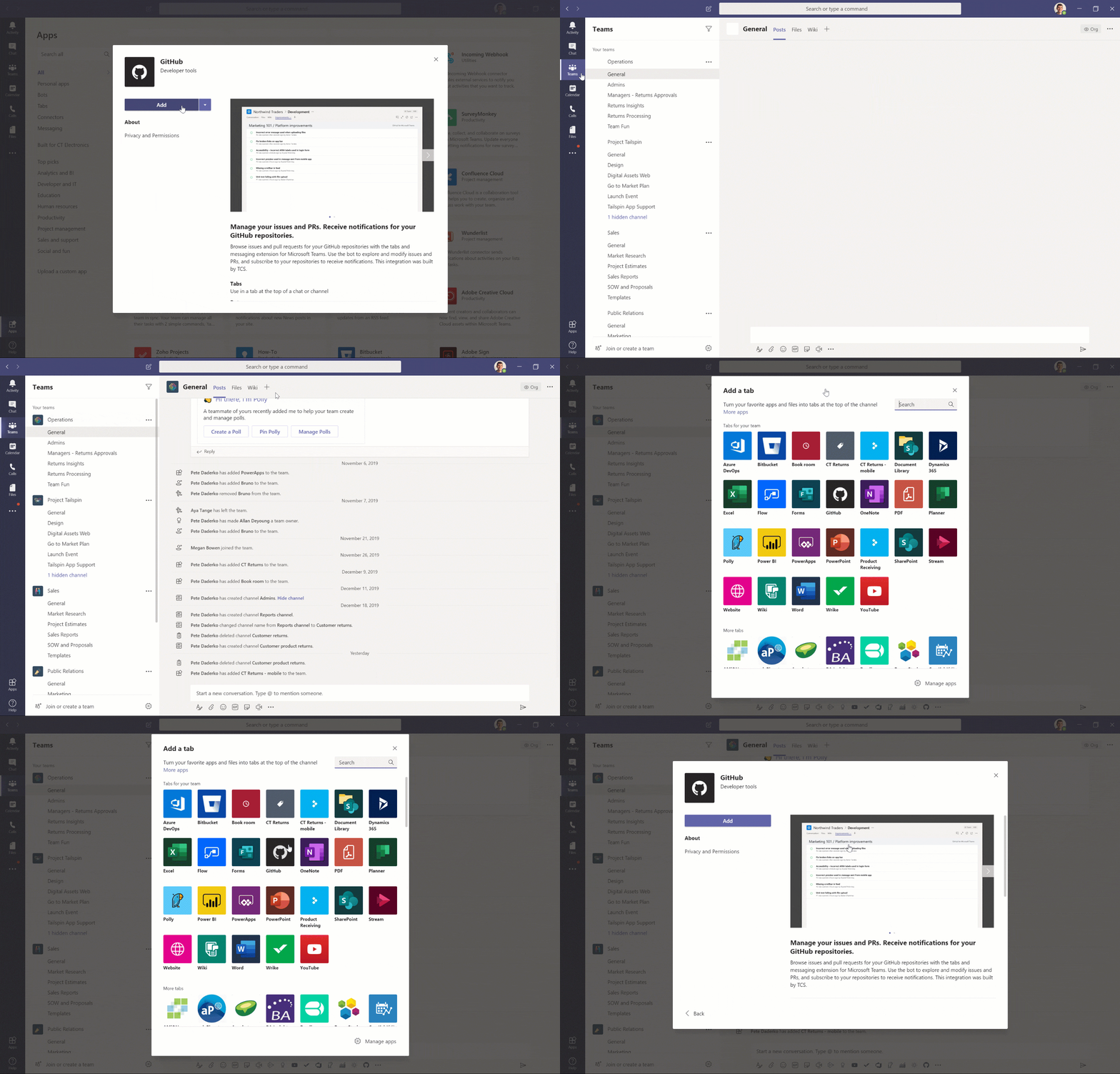
Readily access your personal apps
Pinning apps to relevant channels or chats is a great way to rally a team around a particular app. But personal apps don’t neatly align to a particular channel or chat. Microsoft allows you to pin these personal apps right (well, actually left) where you can readily access them — on the Teams app bar. Find the app, right-click the icon, and select “pin.” Even after you navigate away, the app icon will remain so you can easily return to it.
This feature is in addition to the Teams Admin’s ability to establish tenant-wide policies for the apps that appear on everyone’s Teams app bar.
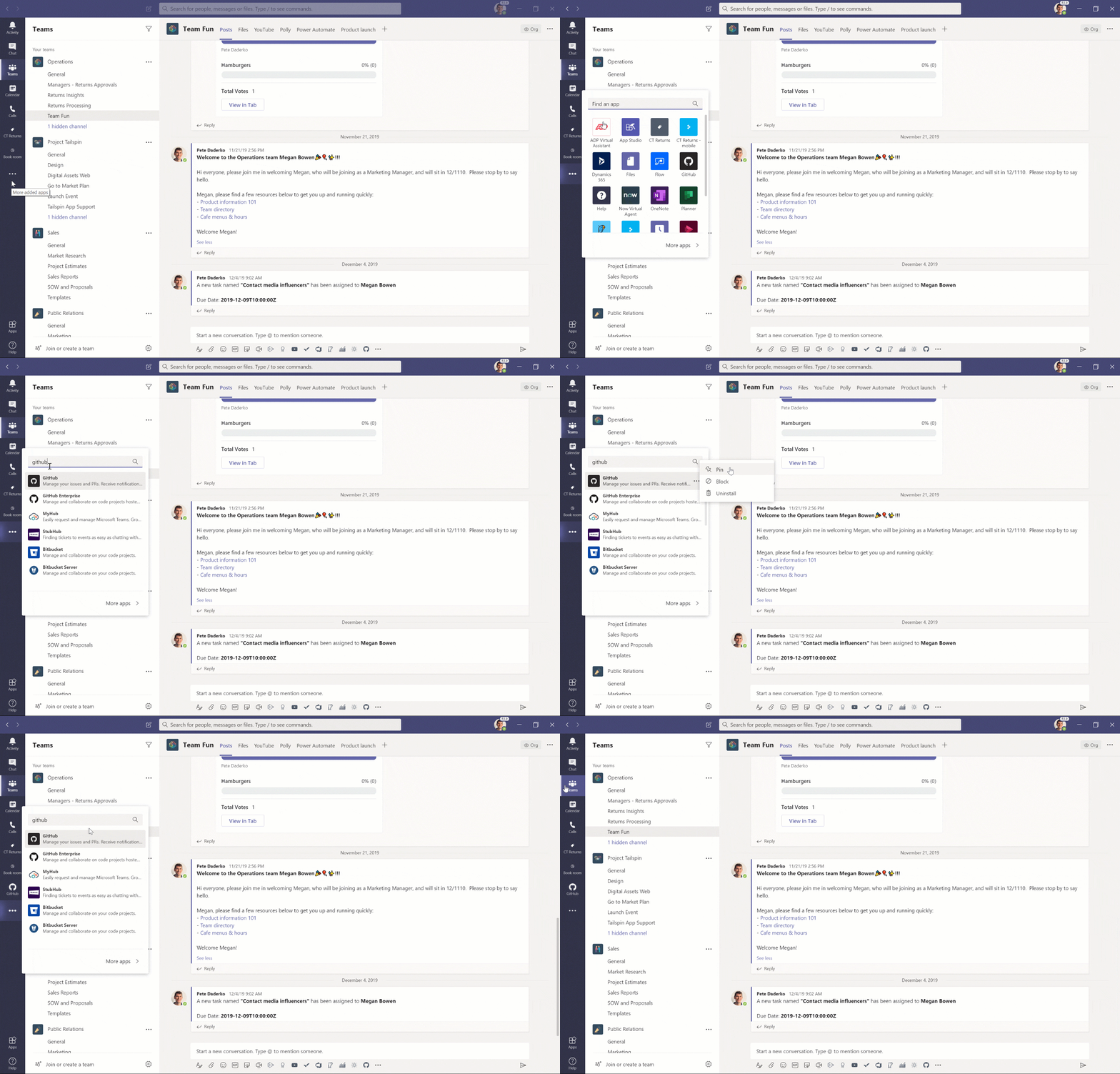
Start streamlining your work by bringing your apps into Teams
Check out the Microsoft Teams apps catalog! There’s a good chance the apps you already use and love are available.
Want to see some apps for keeping connected and productive? Check out our post on staying connected and productive using apps inside of Microsoft Teams.
Ready to get more out of your Microsoft 365 environment? Contact WheelHouse IT today — we help businesses across South Florida and New York make the most of the tools they’re already paying for.